
Network extension use-case of VMware HCX allows us to extend networks from one site to another thereby allowing VMs to be migrated to target site by retaining the same IP addressing and avoiding any change of IP addressing for the workloads being migrated.
In my previous post about VMware HCX titled ‘VMware HCX use cases and HCX Architecture’, I covered the architectural components of VMware HCX.
HCX service mesh components such as HCX interconnect IX, HCX network extension NE, HCX WAN Optimization WO these belong to the data plane and they are deployed in a symmetric manner across both sites such as below.

The above figure shows bidirectional HCX site pairing but bear in mind that unidirectional site pairing can also be configured. This lab setup has unidirectional HCX site pairing setup.
Each service mesh appliance needs to process traffic specific to HCX.
HCX network profiles are created in each site for these networks:
- HCX Uplink: Used by Service Mesh components to reach their peer appliances.
- HCX Management: Used by Service Mesh components to connect to HCX Manager, vCenter Server, NTP, DNS.
- HCX vMotion: Used by Service Mesh components to connect to the ESXi cluster for vMotion-based services.
- HCX Replication: Used by Service Mesh components connect to the ESXi cluster for Replication-based services.
- HCX Guest Network: In OSAM deployments, used by the Service Mesh Sentinel Gateway to connect to the Sentinel agents.
You need to create distributed port groups backed by corresponding VLAN for each of these traffic types. Please note that NSX segment type backing for the HCX appliance is also supported.
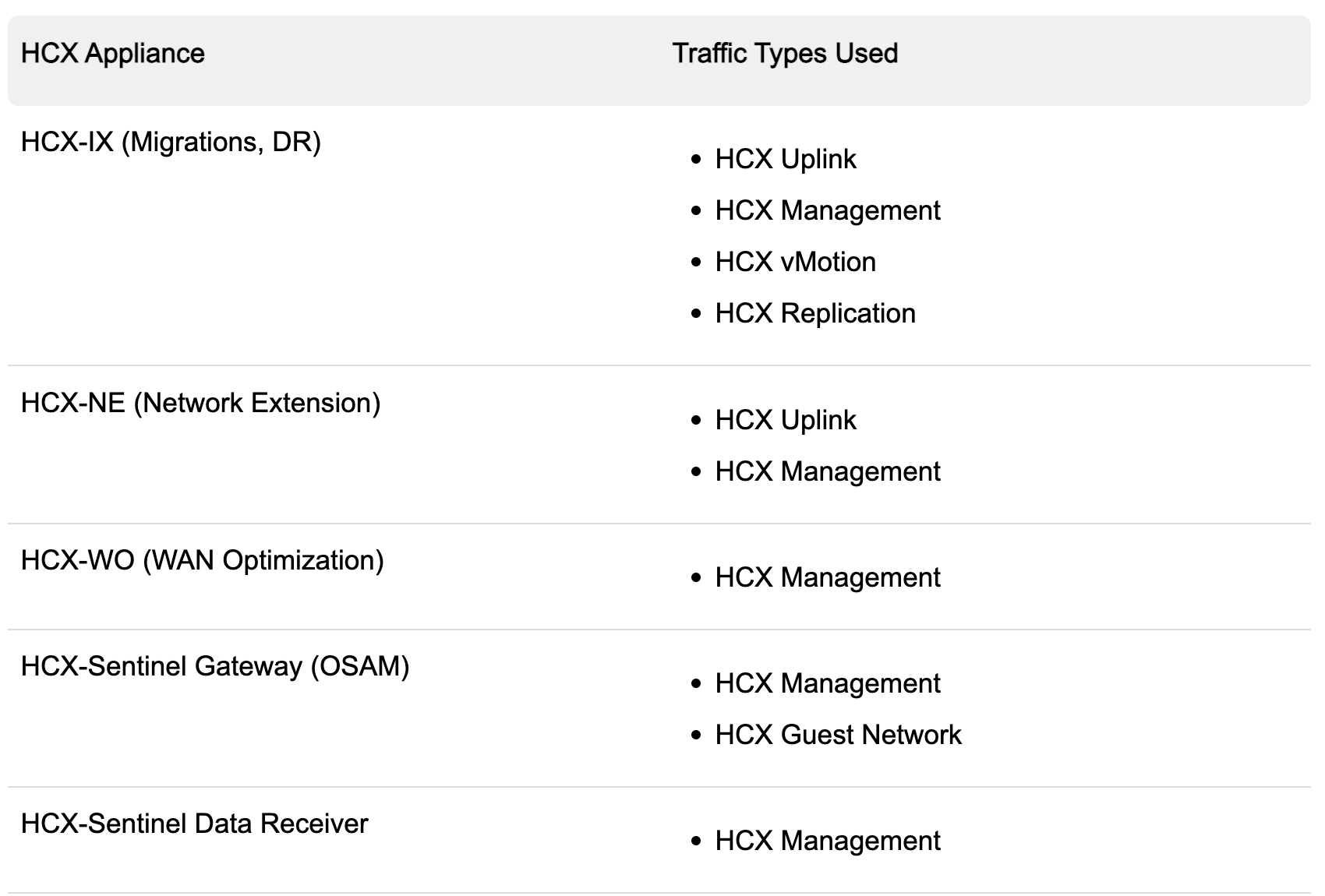
The above table shows the different traffic types on each HCX appliance type.
HCX Deployment
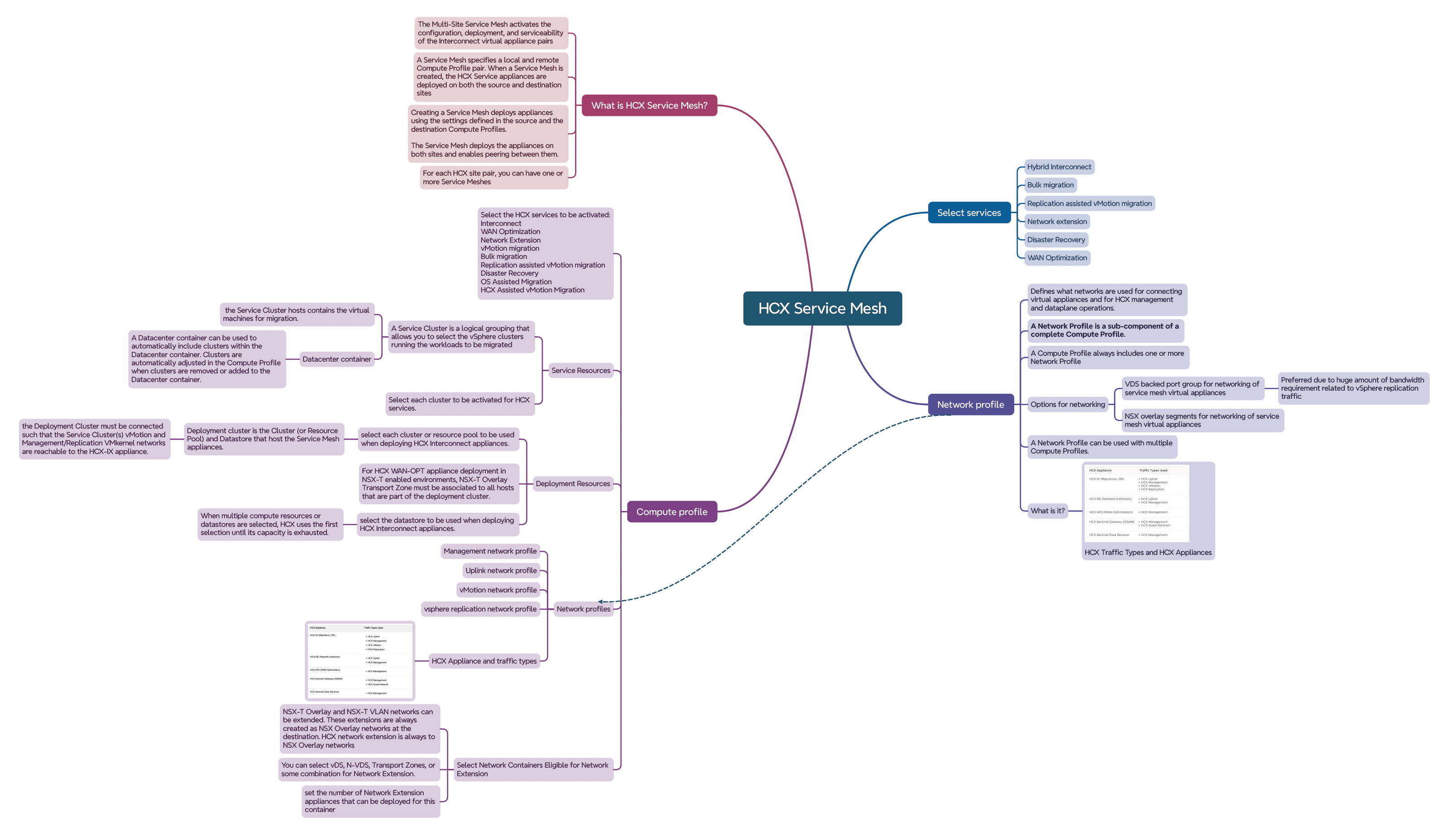
Before extending network using HCX, we need to make sure that HCX installation is complete and that HCX service mesh is deployed. You could have multiple service meshes under a single HCX manager but at least one needs to be in place before extending networks.

Note: For deployments where one of the sites is Oracle Cloud VMware Solution, VMware HCX is pre-configured as part of the SDDC provisioning operation and utilizes Network profiles from SDDC VLANs.
What do you need to ensure before you extend the network?
Before establishing network extension, let’s ensure that HCX site pairing is done, compute profiles, network profiles are in place and HCX service mesh is deployed.

HCX site pairing has been pre-configured. This is unidirectional site pairing.

Network profiles have already been configured in this case in both sites.
These parameters go inside a specific network profile

As shown above, while creating a network profile, you specify parameters like:
- Backing type, distributed port group or NSX segment for the network
- IP pool, range of IP addresses to be assigned from this IP subnet to the HCX appliances.
- Prefix length for the network
- Gateway for this network
- Primary & Secondary DNS Server IP
- DNS Suffix
Create a network profile for each of these traffic types in each site:
- HCX Management
- HCX Uplink
- HCX vMotion
- HCX Replication

These network profiles will be consumed in compute profile
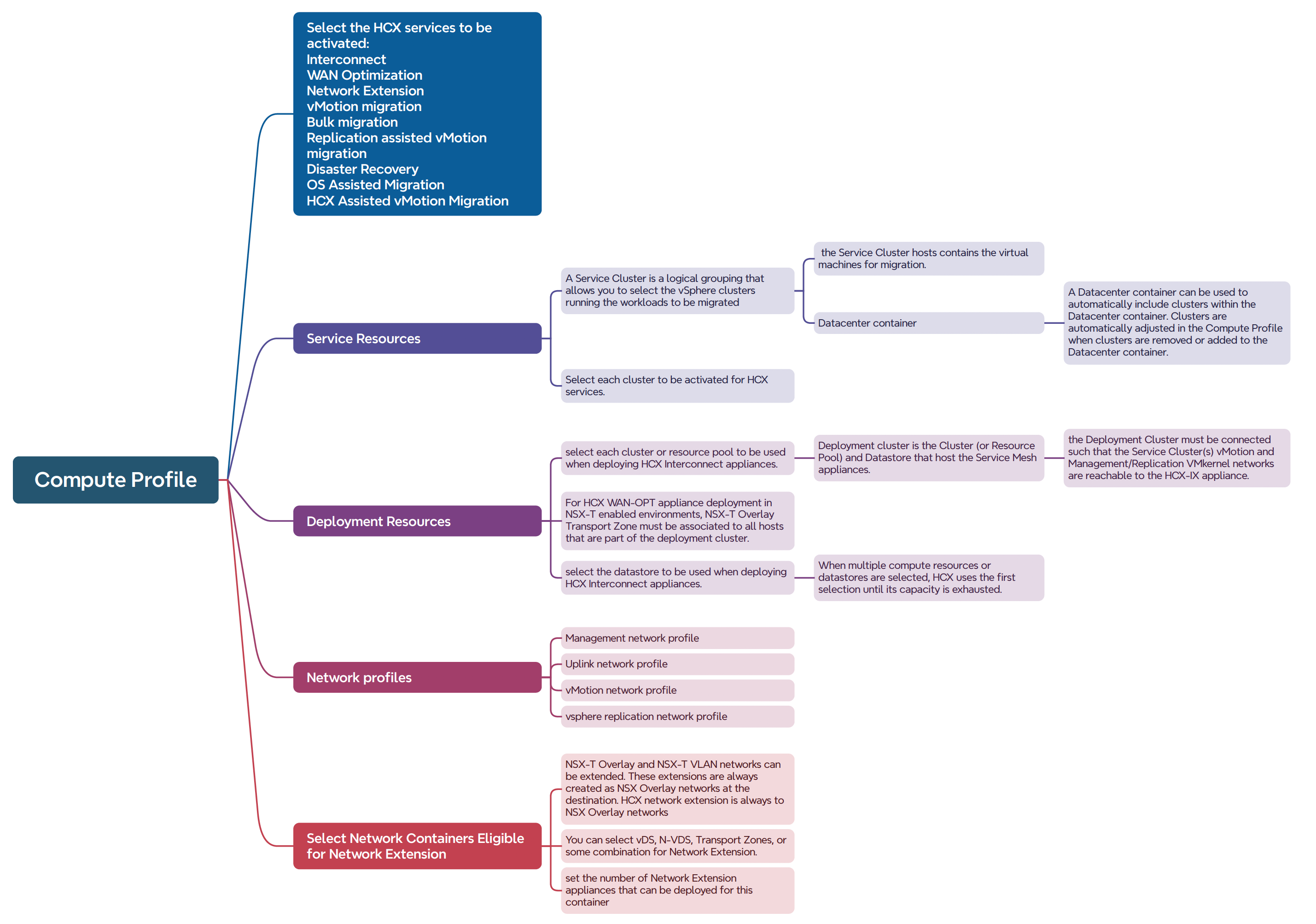

Create a compute profile in both source and destination sites.
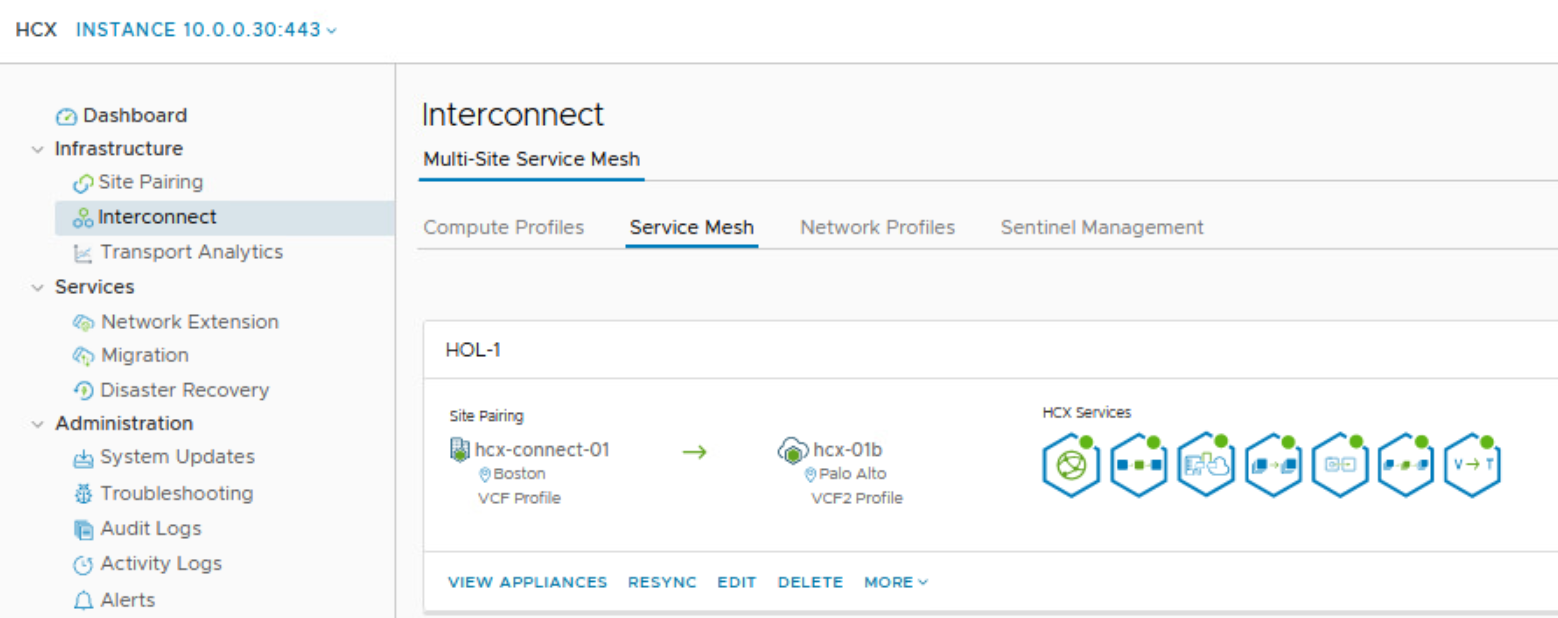
HCX service mesh is pre-configured as shown above in this lab.
Adding a Service Mesh initiates the deployment of HCX Interconnect virtual appliances on both of the sites. A Service Mesh is always created at the source site.
Target environment already has a Tier 1 Gateway configured.
Take a note of the corresponding Tier 1 Gateway in target environment because we need to specify this while creating network extension.
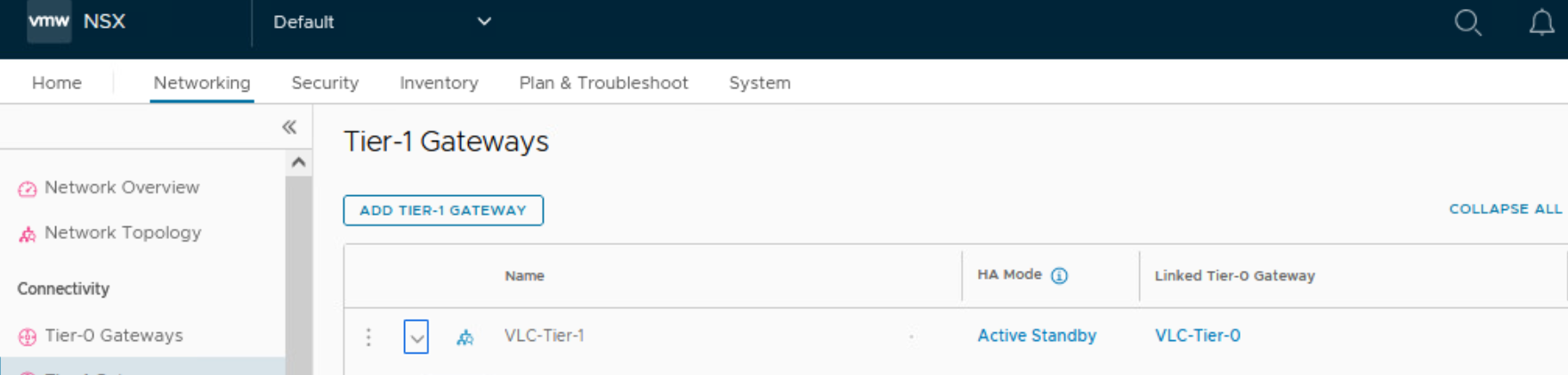
Note the gateway IP of the network in source environment because this is needed while creating the network extension.

Let’s go ahead and create a network extension now:
Now we will extend NSX-T segment from source to target environment.
This layer 2 network extension can help us migrate VM from source environment to target environment and allows us to use same, original IP address when the VM lands in the target environment.
This will be done from HCX Manager of source environment

Click on ‘Create a network extension’

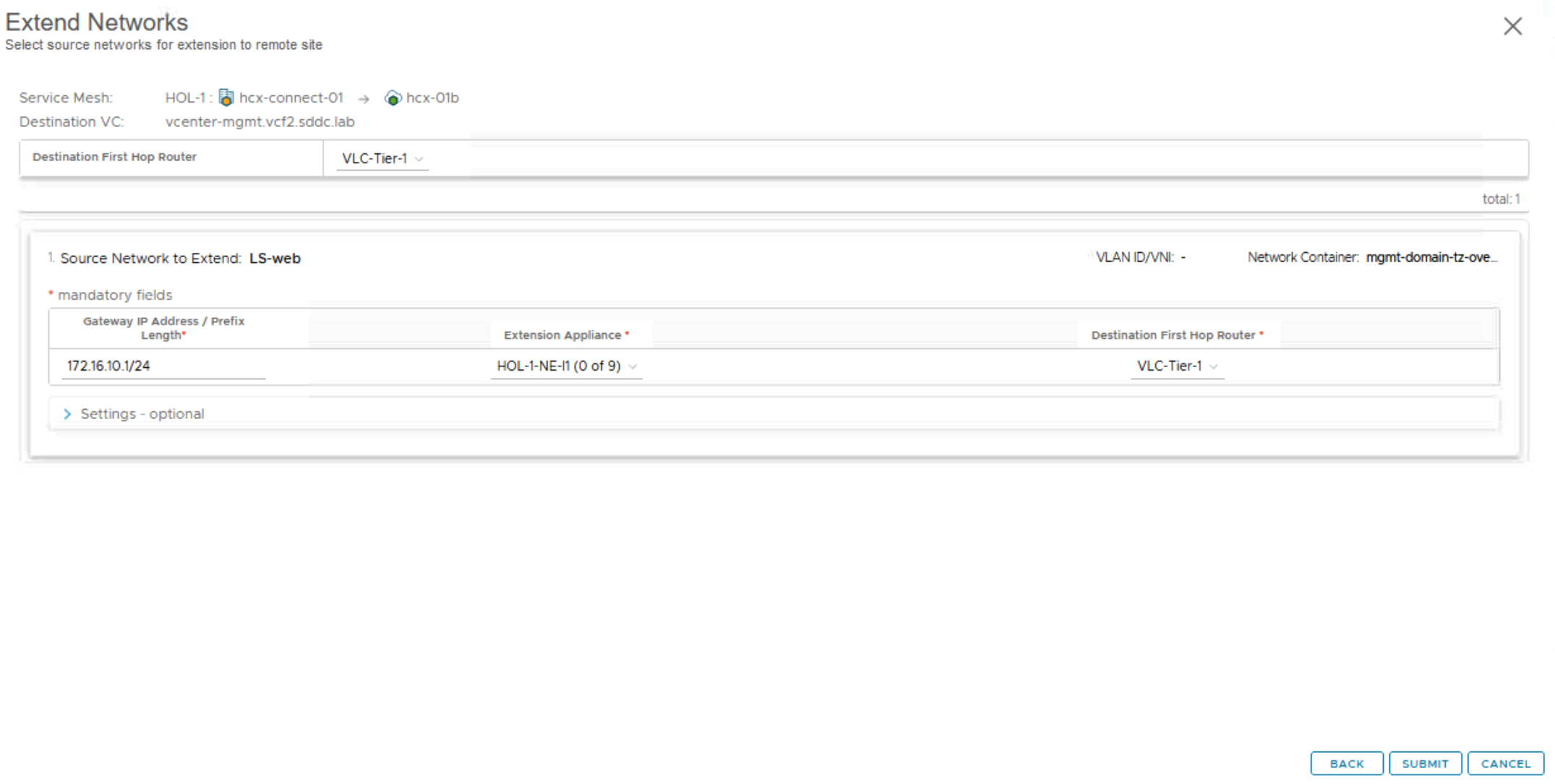
Monitor the status of this workflow in HCX UI.

 Networking & Security