
Technical References:
NSX-T Reference Design Guide
VMware NSX-T Administration Guide
VMware NSX Distributed Firewall is software defined Layer 7 stateful firewall which provides protection at vnic level of a virtual machine. Layer 7 Application ID, FQDN filtering, identity based fire-walling are important capabilities of NSX Distributed Firewall.
A very popular use case of NSX Distributed Firewall is dynamic grouping of virtual machines based on NSX tags applied to virtual machines and then creating firewall rules based on these dynamic security groups; these NSX security groups can be used in source/destination field of the firewall rule.
NSX Distributed Firewall rules are configurable under various categories.
Various Categories in the User Interface of NSX Distributed Firewall:
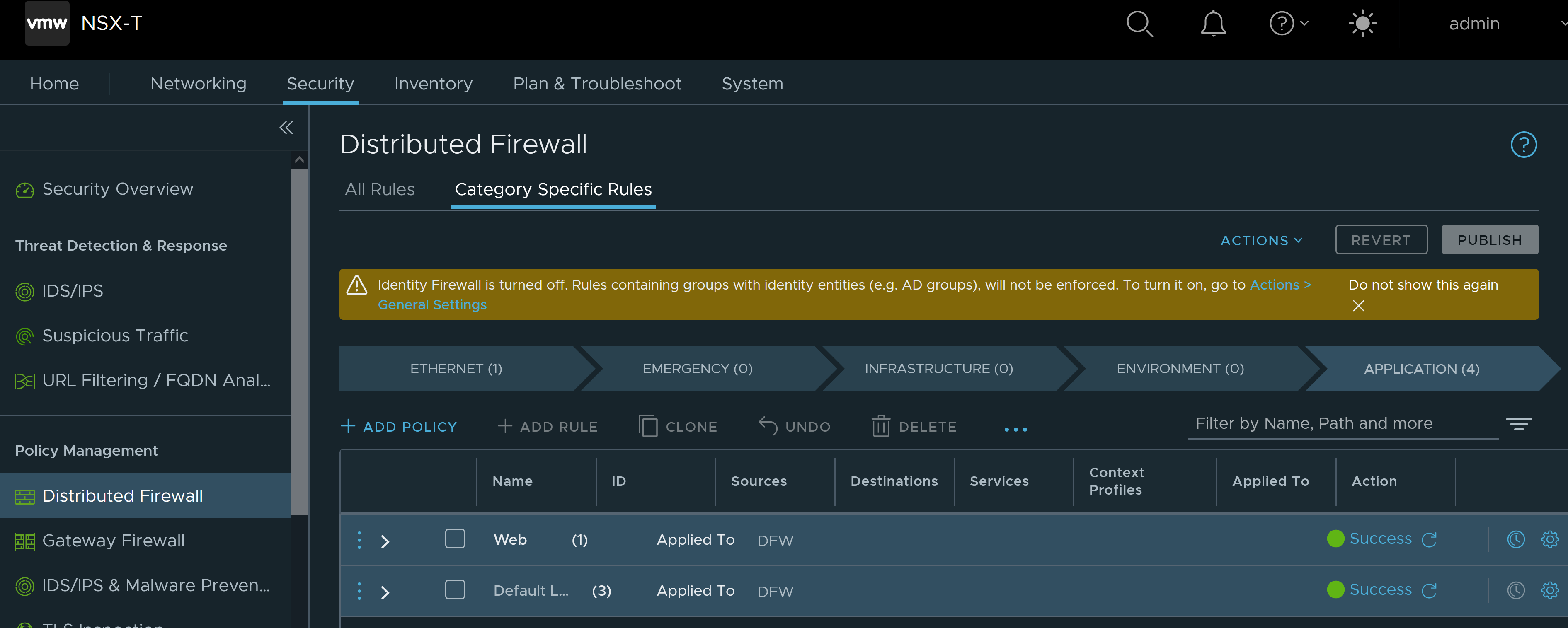
Distributed firewall comes with predefined categories for firewall rules. Categories allow you to organize security policies. In the context of VMware NSX-T, security policy is nothing but collection of firewall rules. Firewall rules within the same policy can be moved up or down within the same policy.
Distributed Firewall rules are categorized as follows:
- Ethernet: These rules are based on layer 2 MAC addresses.
- Emergency rules: For quick quarantine purpose. For example communication to/from a compromised VM (with malware) can be blocked by configuring a DFW rule in this category. By configuring such a rule in this category, this rule will be evaluated before the DFW rules configured in Infrastructure, Environment, Application categories.
- Infrastructure: These firewall rules are related to Active Directory, DNS , NTP, Backup, DHCP and management servers.
- Environment: These rules could be based on production environment, pre-production environment, Development, QA, PCI versus non-PCI.
- Application: Here firewall rules for the application can be placed.
Here it is important to note that categories are evaluated from left to right (Ethernet > Emergency > Infrastructure > Environment > Application), and the distributed firewall rules within the category are evaluated in a top to down fashion.
Meaning all the rules in Ethernet category will be evaluated in a top to down manner before moving to DFW rules in Emergency category.
Distributed Firewall Rule processing:
- Rules are processed in top-to-bottom fashion. This means topmost rule is evaluated first.
- First matching DFW rule from the top is applied on the vnic.
- Search then ends and no other rules are checked.
The default rule on NSX Distributed Firewall will be enforced if packets do not match any user defined DFW rule in any of the categories.
It is a best practice to change the default rule to ‘drop’ action after configuring all the required DFW rules for the applications.
NSX Distributed Firewall Policy Lookup:
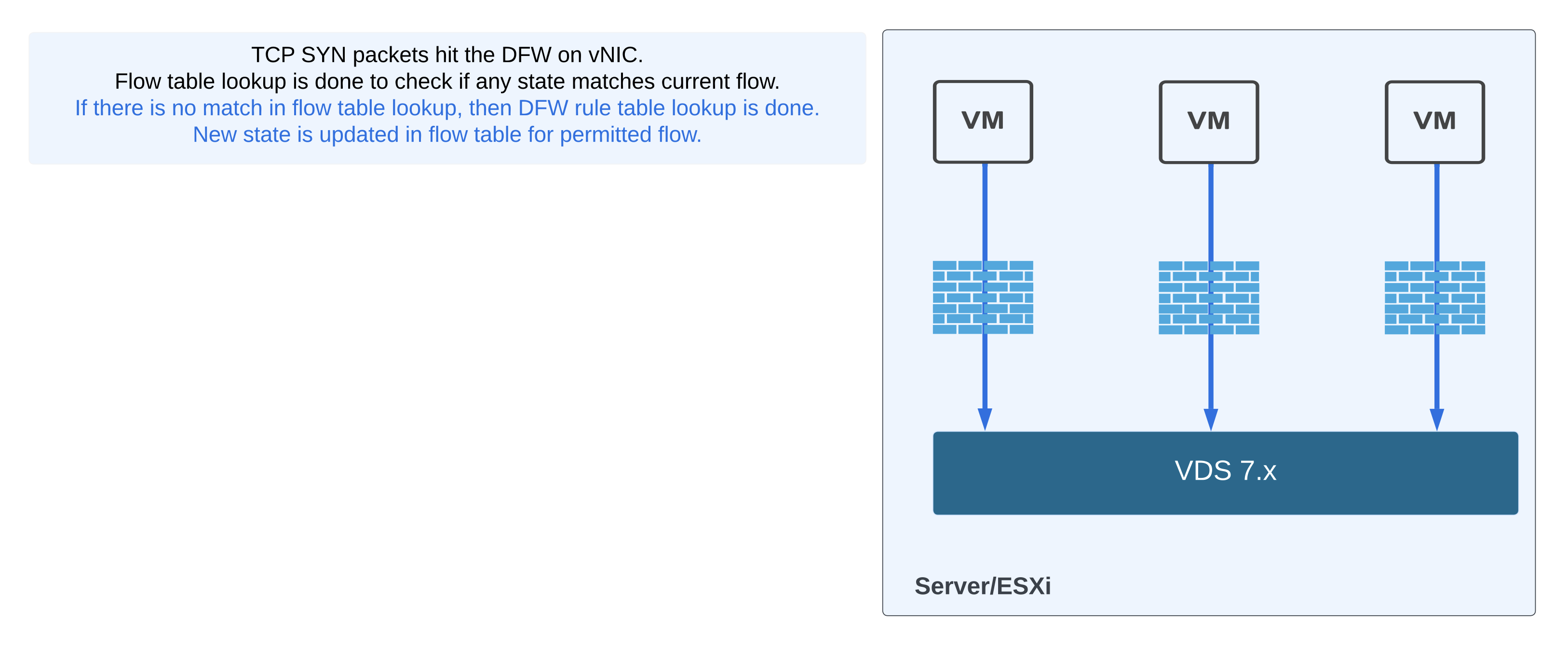
As shown in the figure above, flow table lookup is done prior to rule table lookup.
Security Policy Methodology:
- Network: In this case, firewall rules are based on IP addresses or Layer 2 MAC addresses. This potentially creates firewall rule sprawl whereby number of firewall rules keep on increasing unless cleanup is done manually. Manual checks are needed to see if a particular firewall rule has no hits for considerable amount of time so then it can be removed. If cleanup of unnecessary firewall rules is not done, then it is possible to hit the limit for maximum number of firewall rules.
- Infrastructure centric: In this case, firewall rules are based on constructs like distributed port, distributed port group, segment, segment port. If the distributed firewall rule is based on segments, then distributed firewall rule remains untouched as long as new VMs are connected to appropriate segments (utilized as source or destination security group in NSX Distributed Firewall rule).
- Application centric: In this case, security groups are created based on application type. For example you can tag your Web Virtual Machines with NSX tag of ‘web-appx’ and create a security group based on criteria which states ‘group all VMs where VM name contains the string web’. If security groups for source or destination are being created based on dynamic criteria like NSX tag, VM name; and these security groups are being utilized in NSX DFW rule then such DFW rule remains unchanged/untouched as long as VMs are being provisioned based on appropriate VM name or NSX tag. Also such DFW rule remains unchanged/untouched even when VM is deleted/decommissioned.
Lab – NSX Security on VDS:
I created a lab for testing NSX security only capabilities on VDS.
Installing Distributed Security for VDS provides the NSX security capabilities such as:
- Distributed Firewall (DFW)
- Distributed IDS/IPS
- Identity Firewall
- L7 App ID
- Fully Qualified Domain Name (FQDN) Filtering
- NSX Intelligence
- NSX Malware Prevention
- NSX Guest Introspection
The following are the requirements for installing Distributed Security for VDS:
- vSphere 6.7 or later.
- The vSphere cluster should have at least one VDS with distributed switch version 6.6 or later configured.
- A compute manager must be registered in NSX
My lab server has four vmnics and it is added to two VDS’ as shown below:

I have added host to both the VDS’ as seen below.

Add vcenter server as compute manager to NSX-T

For NSX security only deployment on VDS, the workflow is initiated from
System – Quickstart – Prepare Clusters for Networking and Security – Select the cluster – Install NSX – Security Only


Once cluster is prepared for NSX, transport node profile is automatically created as shown below for each vSphere cluster.

Once the cluster is prepared for NSX Security, you will notice two VLAN transport zones are automatically mapped to each of the VDS’ as per figure below.

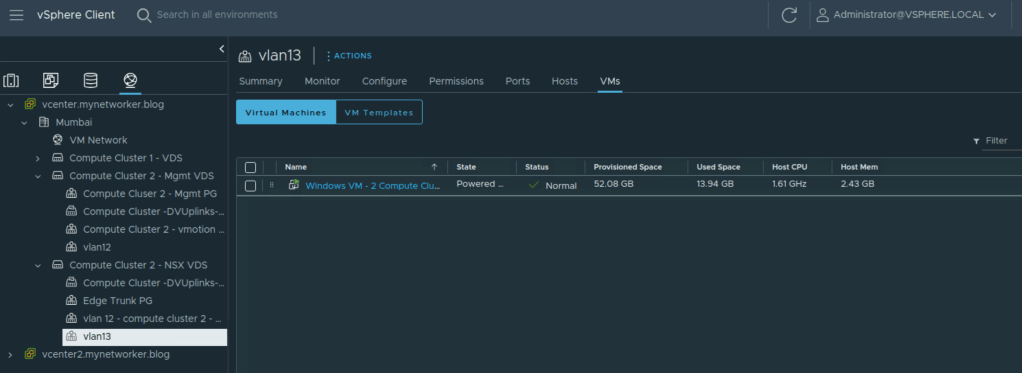
Next let’s ensure Virtual Machines are connected to appropriate distributed port groups. I have two subnets in my lab and I have configured the gateway on upstream L3 device. This deployment is not using NSX gateways (Tier 0/Tier 1) nor it is using overlay networks (SDN).
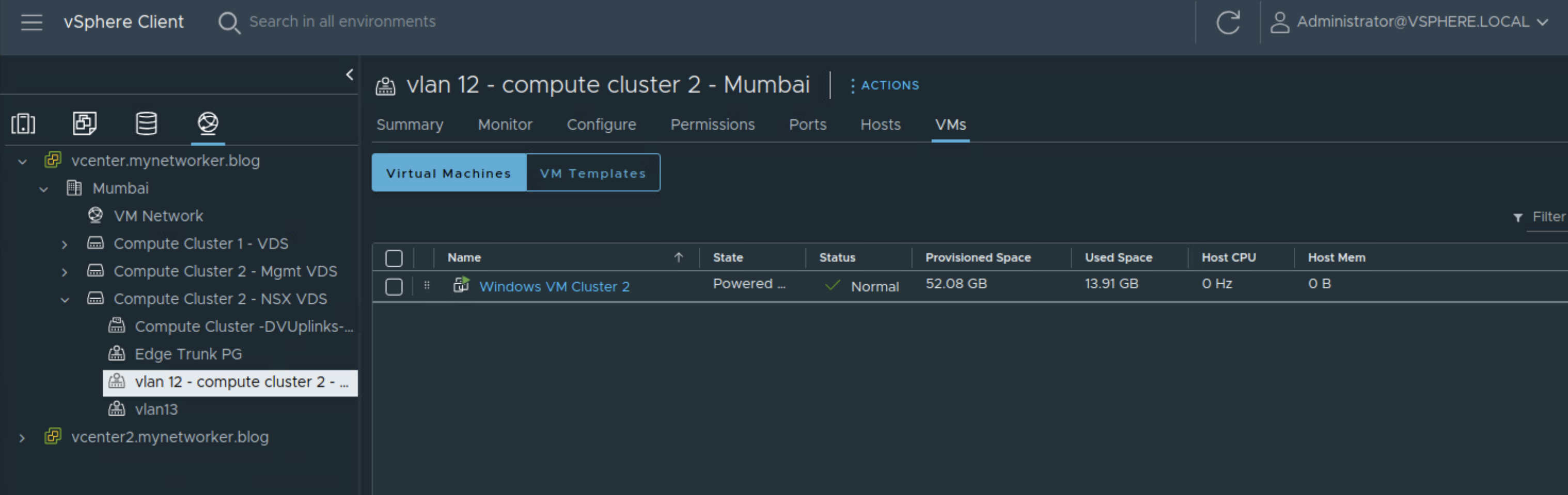

In the NSX UI, NSX inventory is dynamically populated and shows all the VMs under the vcenter.
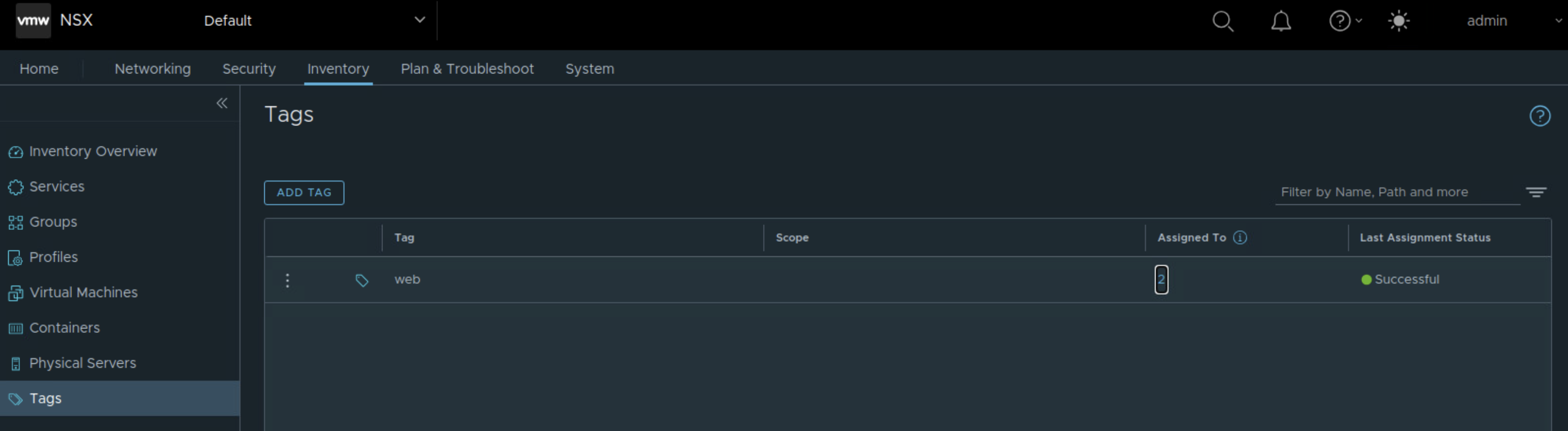
Next I will configure NSX tag and assign this NSX tag to the two test VMs.
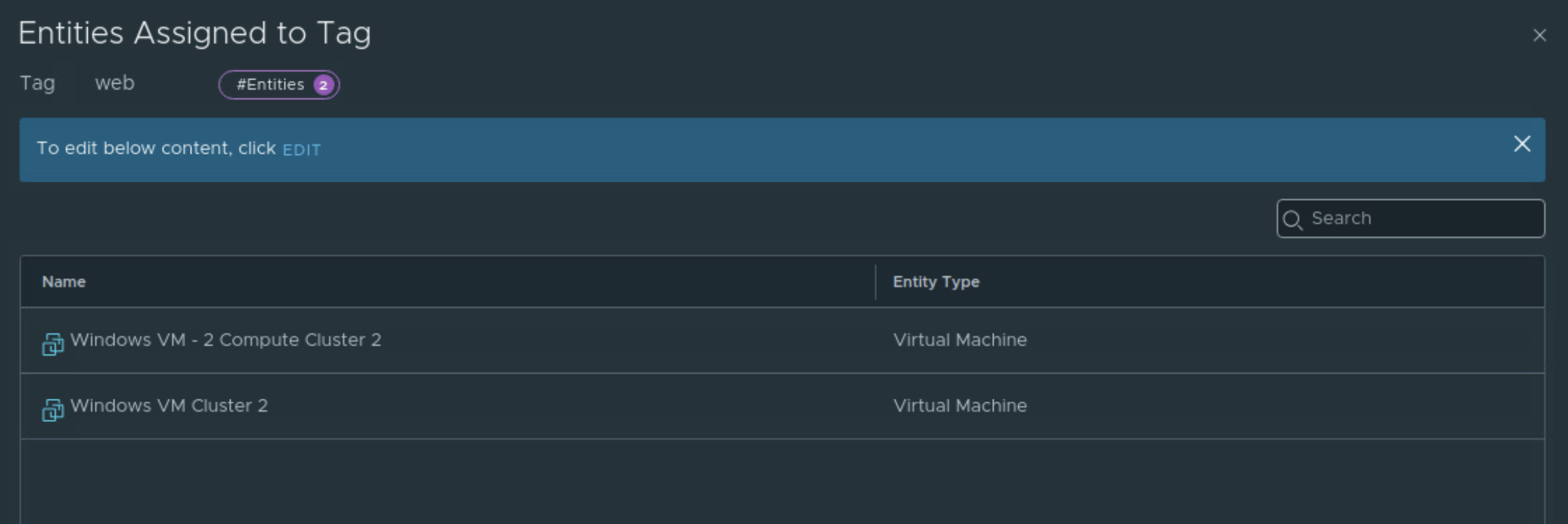
Next I will configure NSX security group based on NSX tag. Criteria is as shown below.
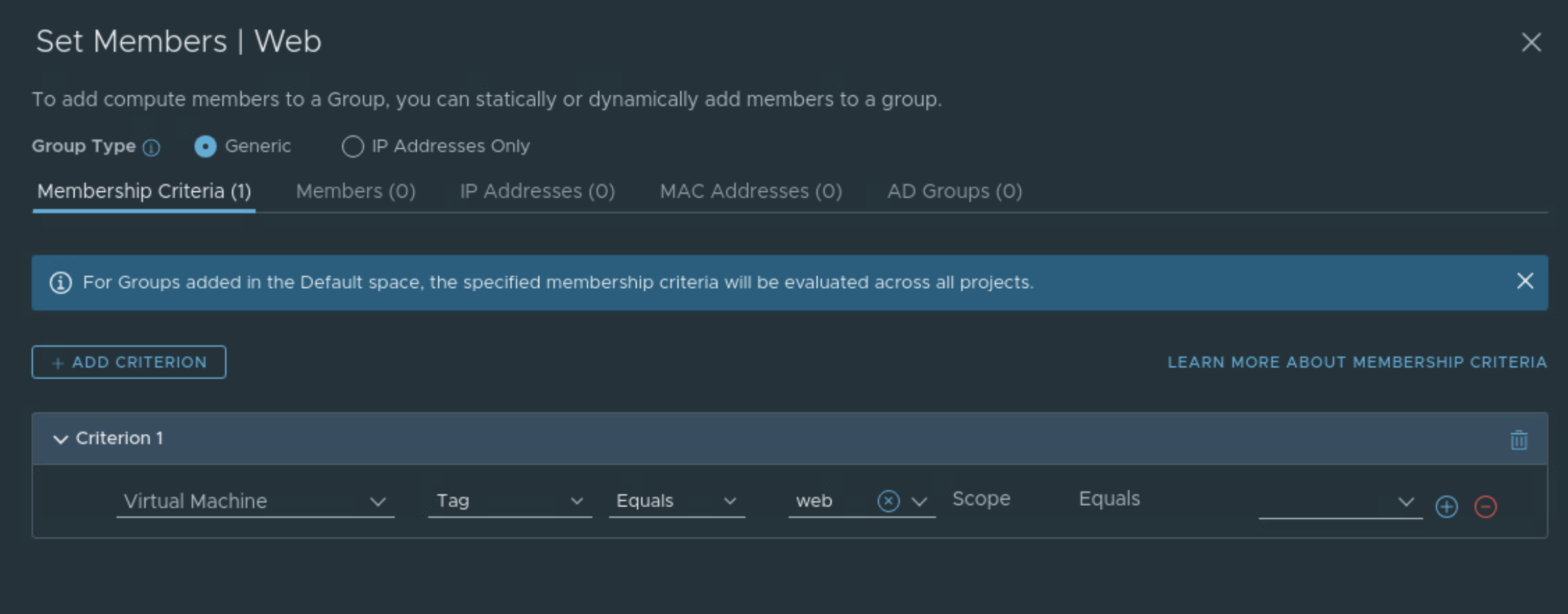
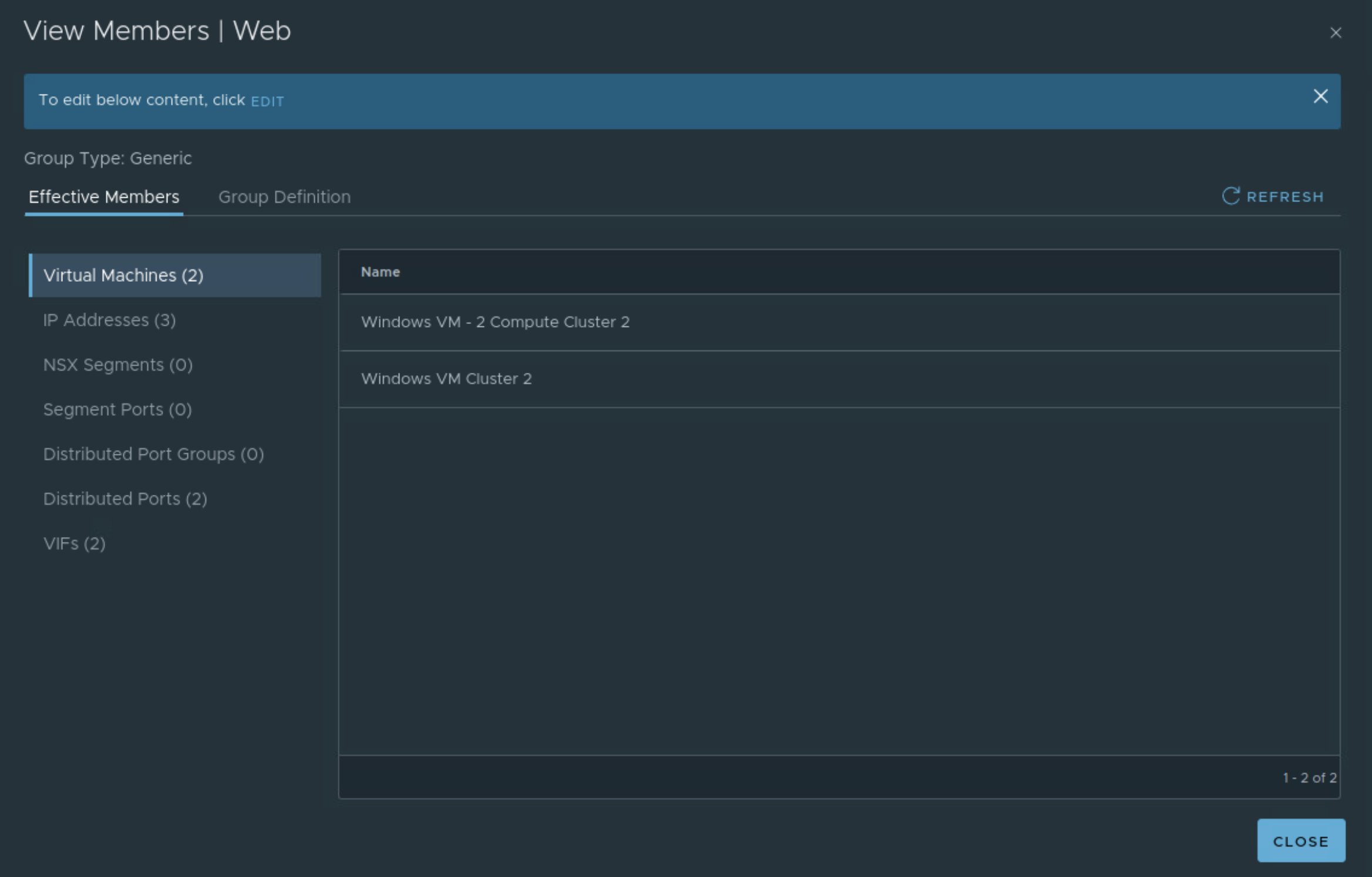
This NSX security group will group the two test VMs.
I have enabled web service on these two VMs.
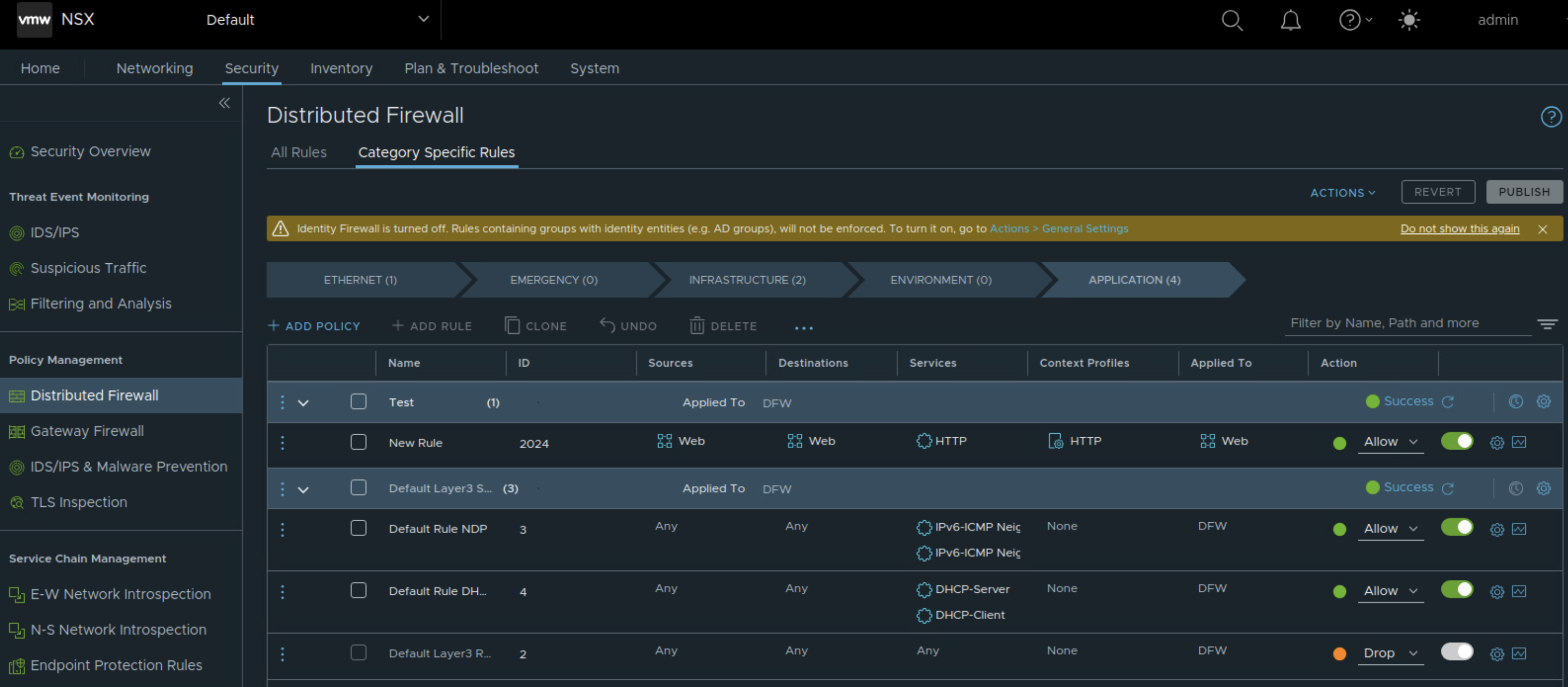
We can now go ahead and create a rule on NSX Distributed Firewall. Here we specify:
Source
Destination
Services
Context profile (Layer 7 App ID)
Applied To
Action (Allow/Drop)
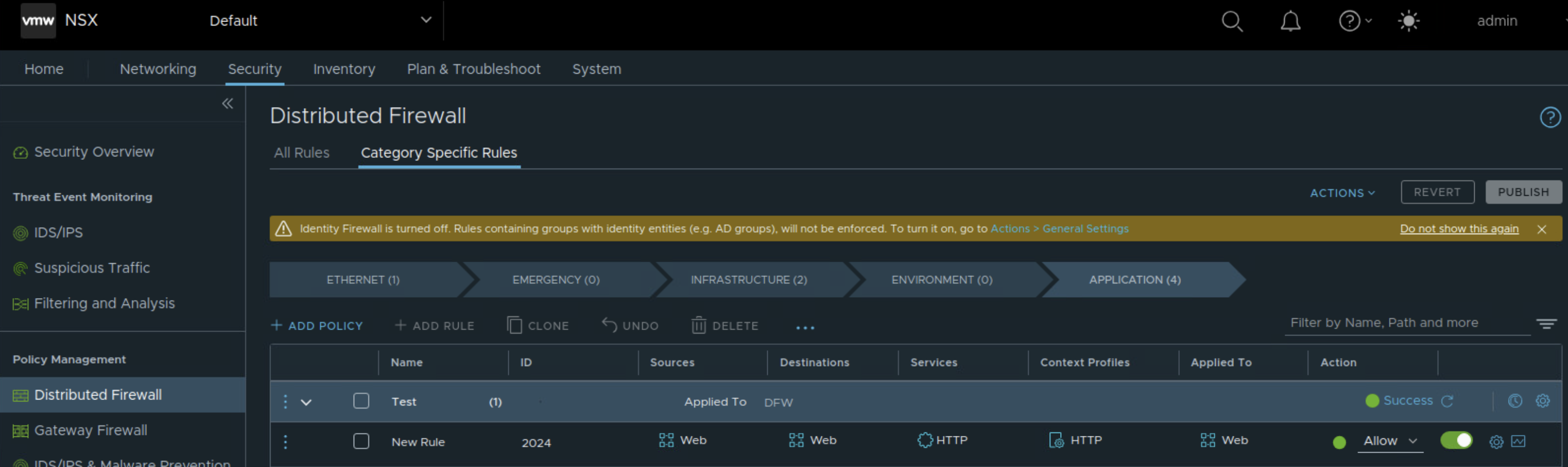
Notice that we are also using Layer 7 App ID in the above rule.
In addition to this we are ensuring that this DFW rule is configured only on the vnics of the two test VMs, not to all the VMs under NSX inventory. This is achieved by ensuring that ‘Applied To’ references the NSX security group that was configured. This is needed to optimize host/server resources.
I will also modify default rule and change action to ‘drop’ for testing purpose.
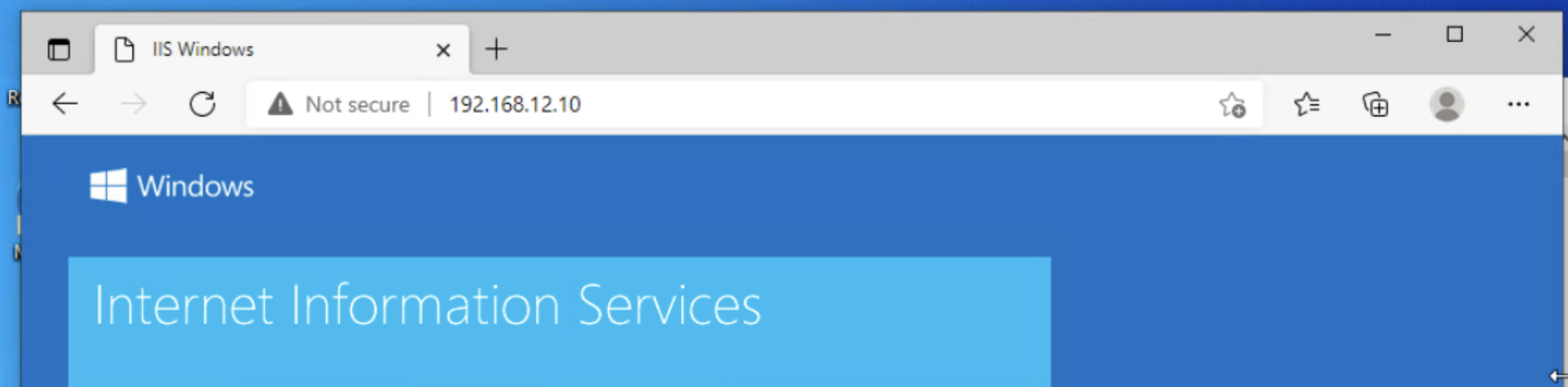
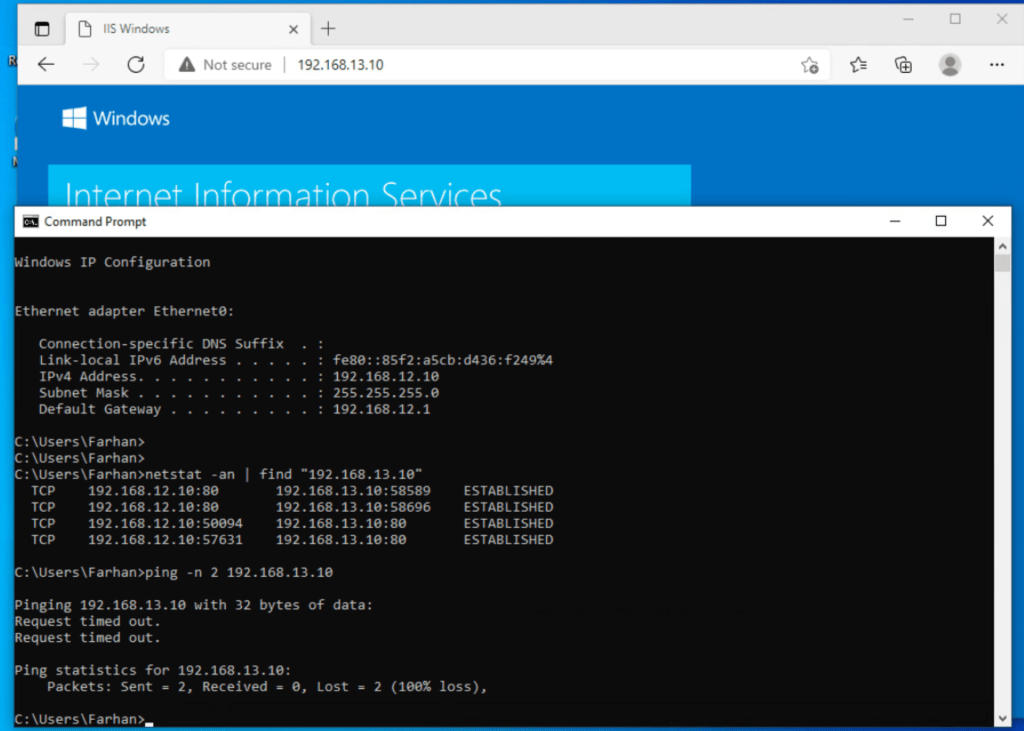
Now, I will access web service on test VM 2 from test VM 1. This is reachable.
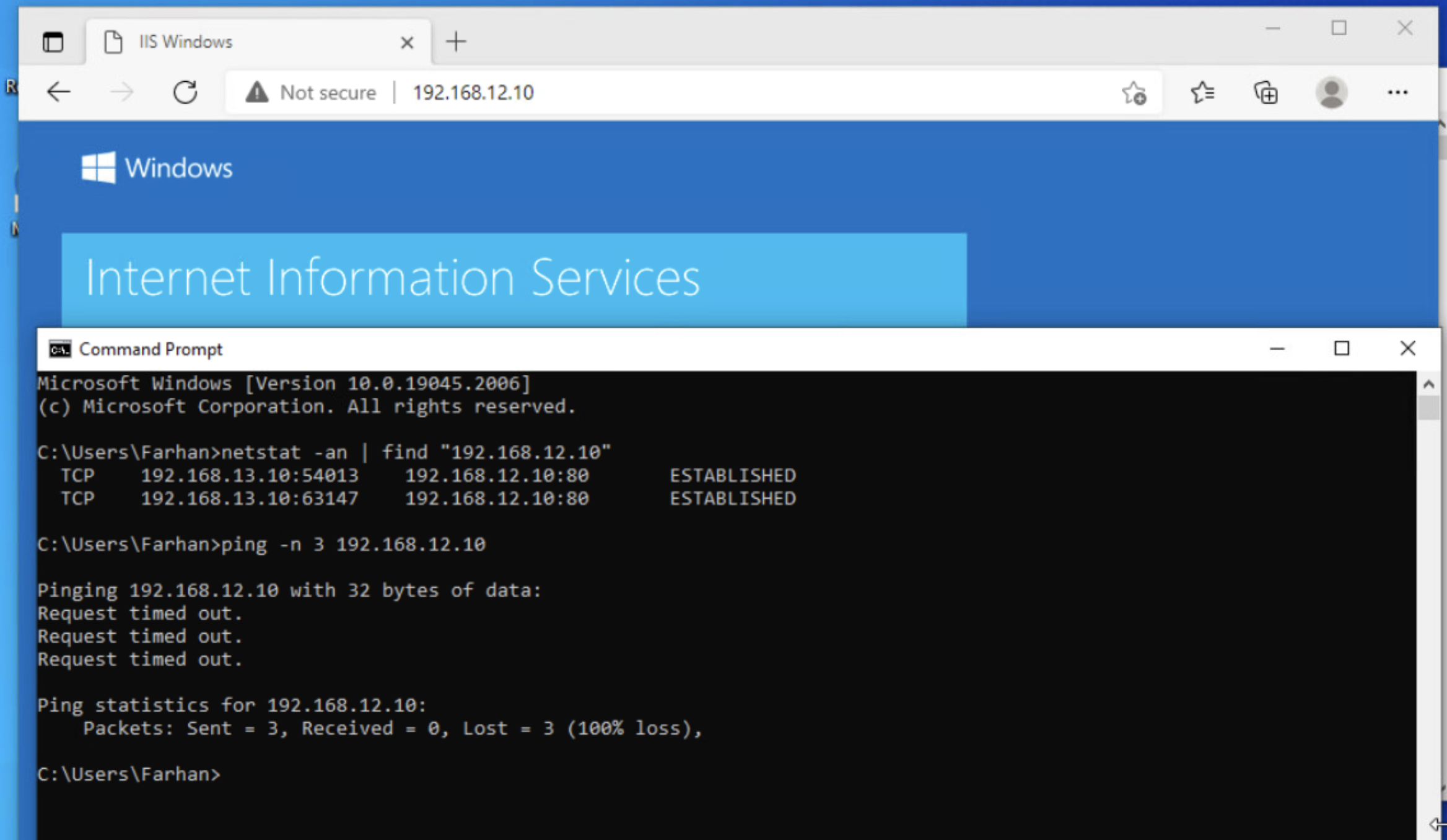
ICMP is blocked and only web service is accessible, which means that micro-segmentation is effective.
Additional notes:
NSX DFW is effective on both the VDS’. So even if VM is connected to same network on System VDS, it will have the same DFW rule on its vnic.
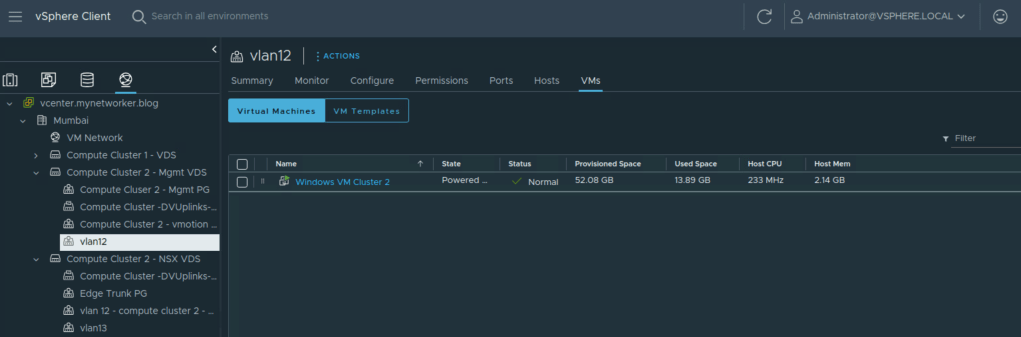
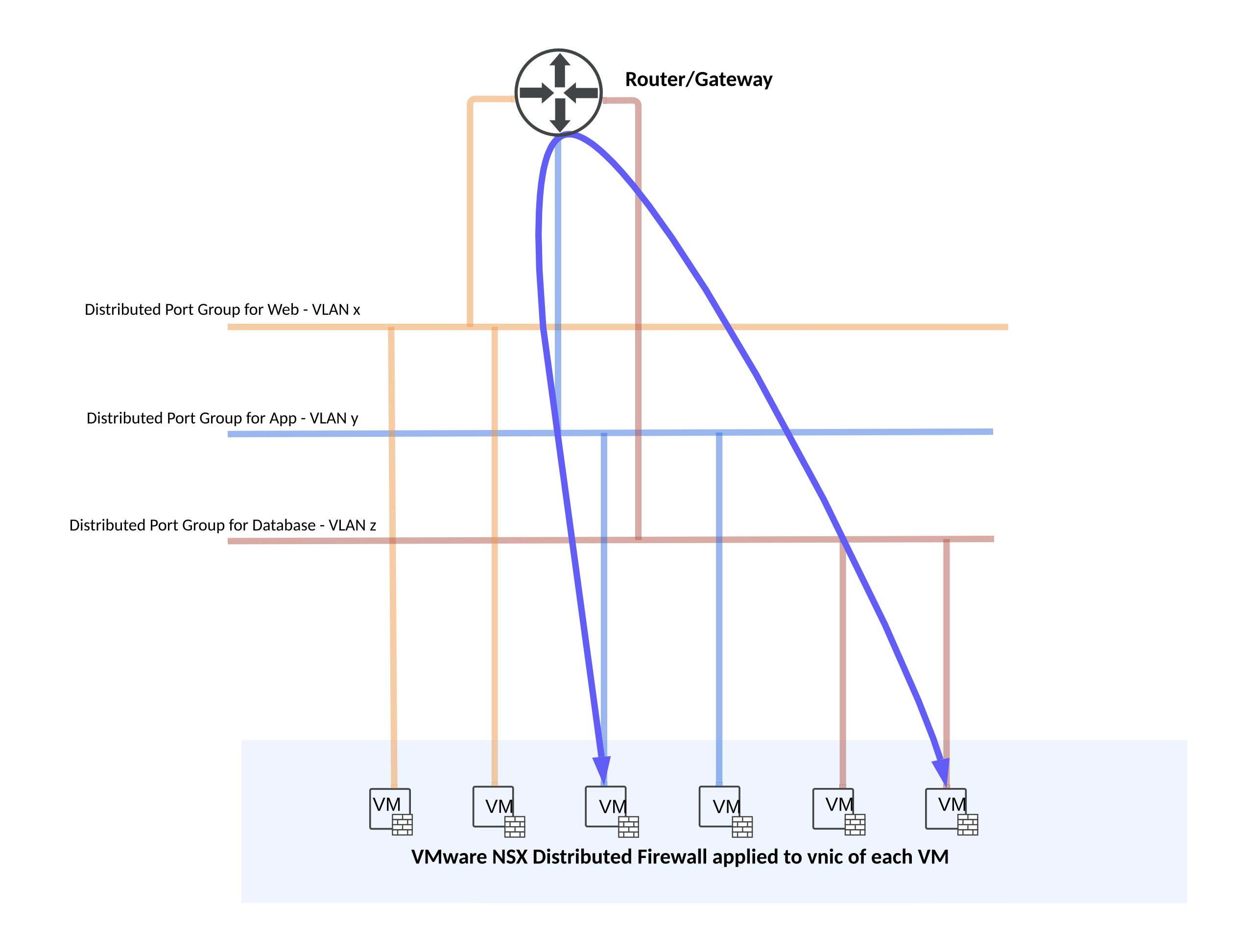
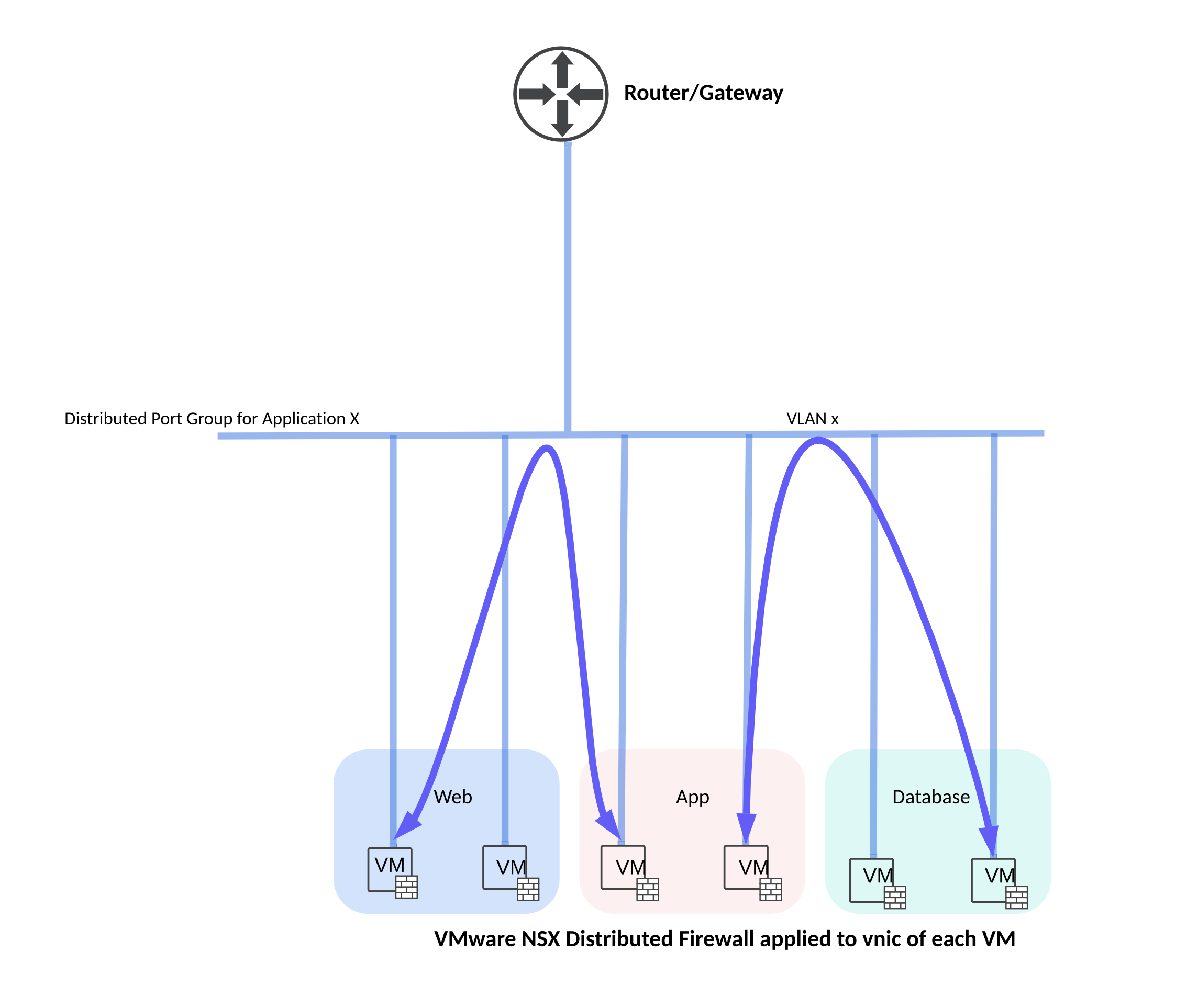
I’ve also added below figures which show two potential ways of subnetting for your application considering NSX DFW is always fire-walling at vnic level.
 Networking & Security
One thought on “VMware NSX Distributed Firewall”