
The why?
VMware NSX provides you the ability to configure multiple tenants using a single NSX Manager instance. This essentially removes the requirement to deploy multiple NSX managers in order to achieve isolation for different customers or different environments.
This multi-tenancy will help in situations where there are multiple customers requiring networking and security resources and each customer needs separate configurations using a single, shared NSX instance.
What are NSX projects?

Each NSX project is equal to a tenant which could be a customer, a department or a line of business.
Project gives you the ability to isolate networking and security objects across multiple tenants using a single NSX instance.
NSX users and NSX Projects:
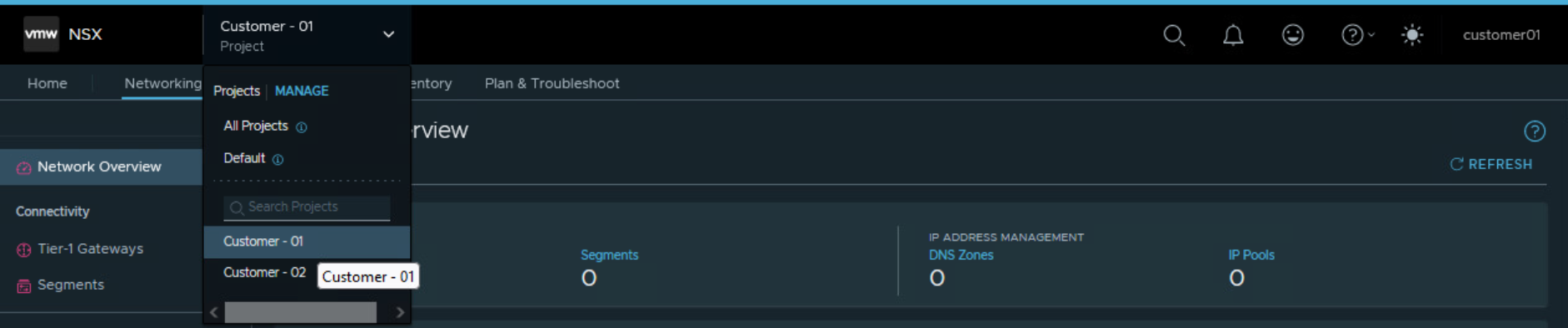
NSX enterprise admin can view all the projects in the system. Users that are assigned to specific projects with roles, such as Project Admin, Security Admin, Network Admin, Security Operator, and Network Operator can view the projects that they have access to.
How do you create a project?
Pre-requisites:
- NSX Manager is deployed
- Servers are prepared for NSX overlay networking.
- Required number of NSX edges are configured for NSX.
- A tier 0 gateway or a tier 0 VRF gateway should be pre-existing. This will primarily be used for north-south connectivity in the software defined data center. The tier-0/VRF gateways that are associated with the default transport zone can be used for NSX projects.
- NSX Edge Clusters should be pre-existing: This NSX edge cluster will be used for centralized services such as NAT, Gateway Firewall, VPN, DHCP. These centralized services can be enabled on Tier 1 Gateway inside the NSX project. An Edge Cluster can be assigned to multiple projects. That is, allocating an edge cluster to one project (say project 1) does not prevent you from allocating it to other projects (say project 2 and project 3). The edge clusters that are associated with the default overlay transport zone can be selected for NSX project.
Workflow for creating NSX Project:
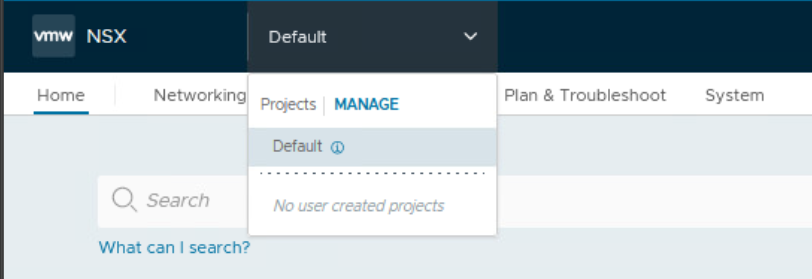
From the landing page of NSX Manager UI, navigate to Projects | Manage

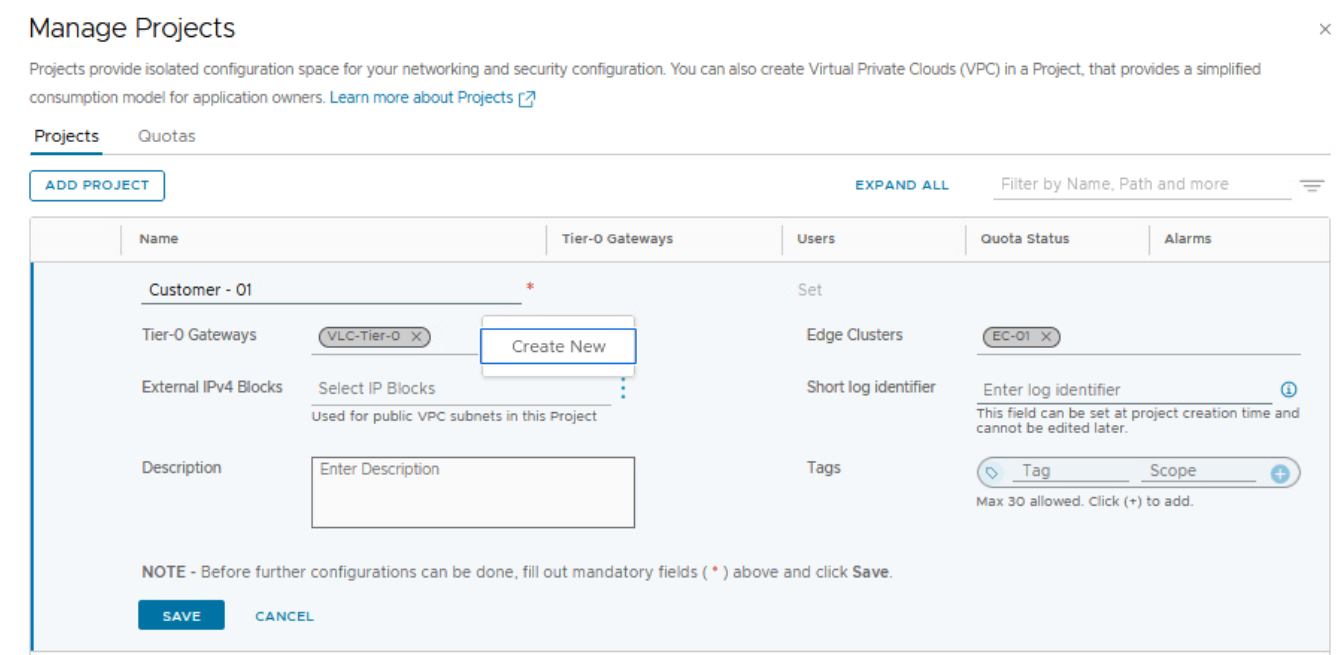
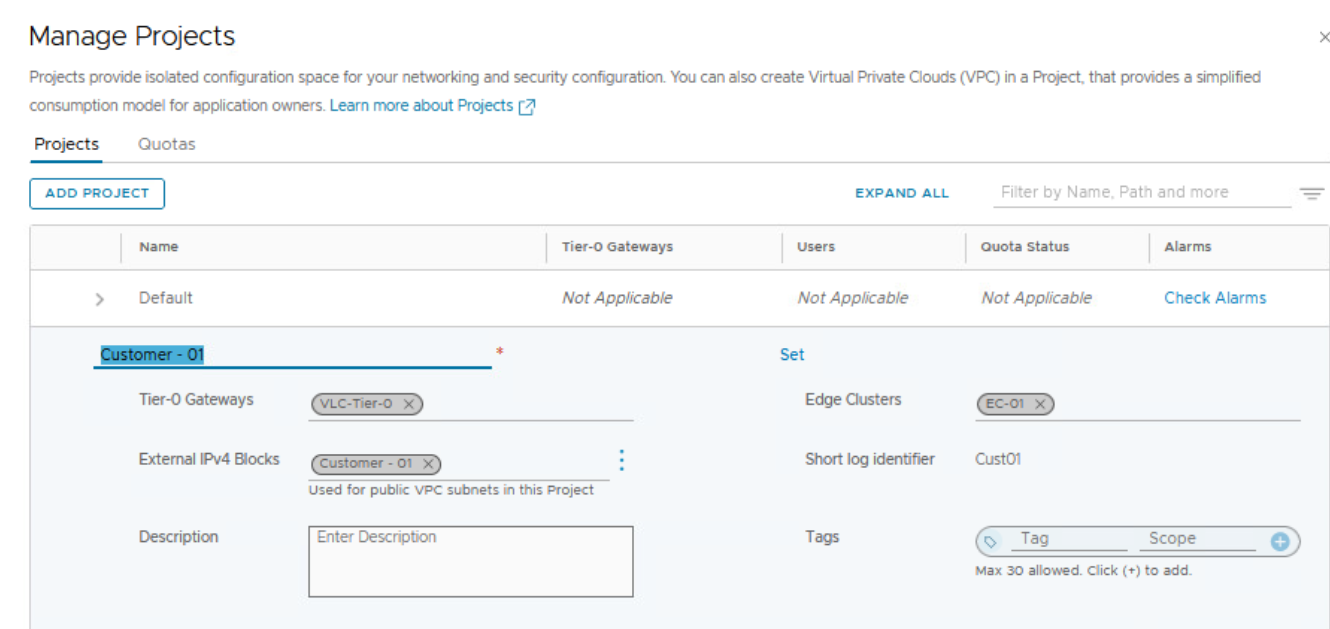
Assign Tier 0 Gateway or Tier 0 VRF Gateway (better for multi-tenant environments) to the NSX project.
Assign NSX edge cluster to this NSX project.
Create external IPv4 block:
External IP blocks can be used for adding NAT rules in NSX VPCs, more about NSX VPC later in this blog.
The selected IPv4 blocks will become available to you when you add public subnets in the NSX VPCs within the project. The system will assign CIDR blocks to the public subnets in the NSX VPCs from these external IPv4 blocks. We will discuss NSX VPC later in this blog.

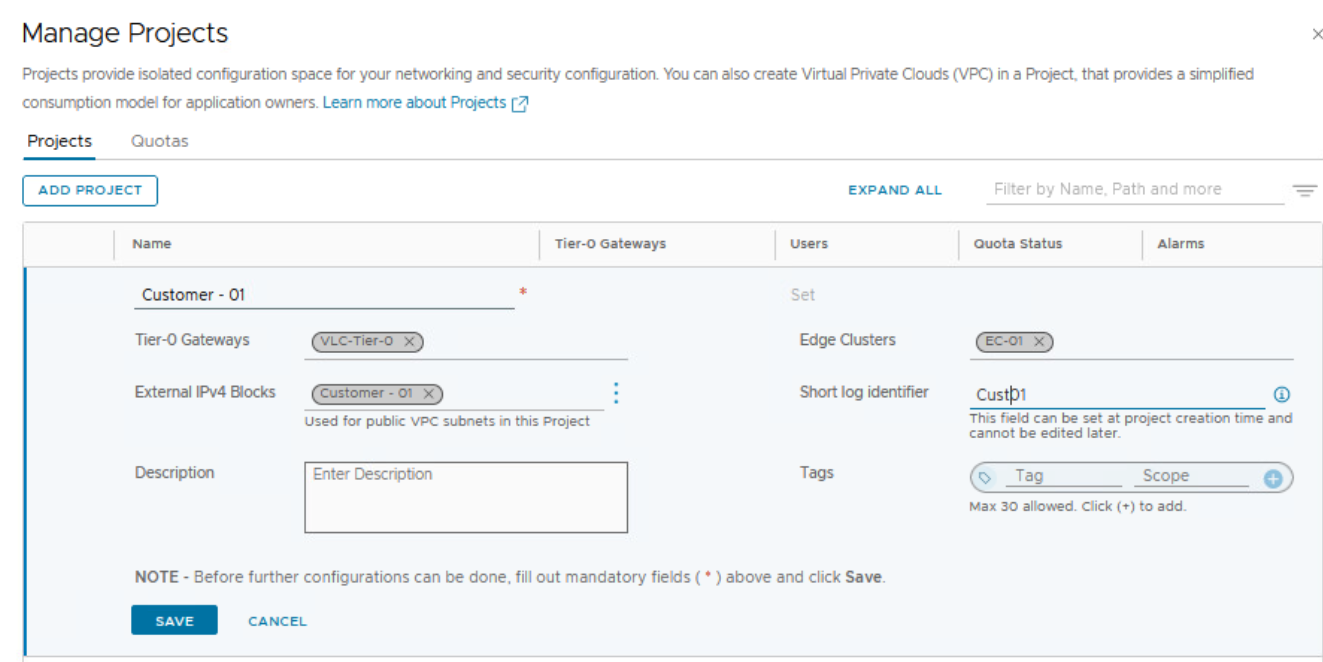
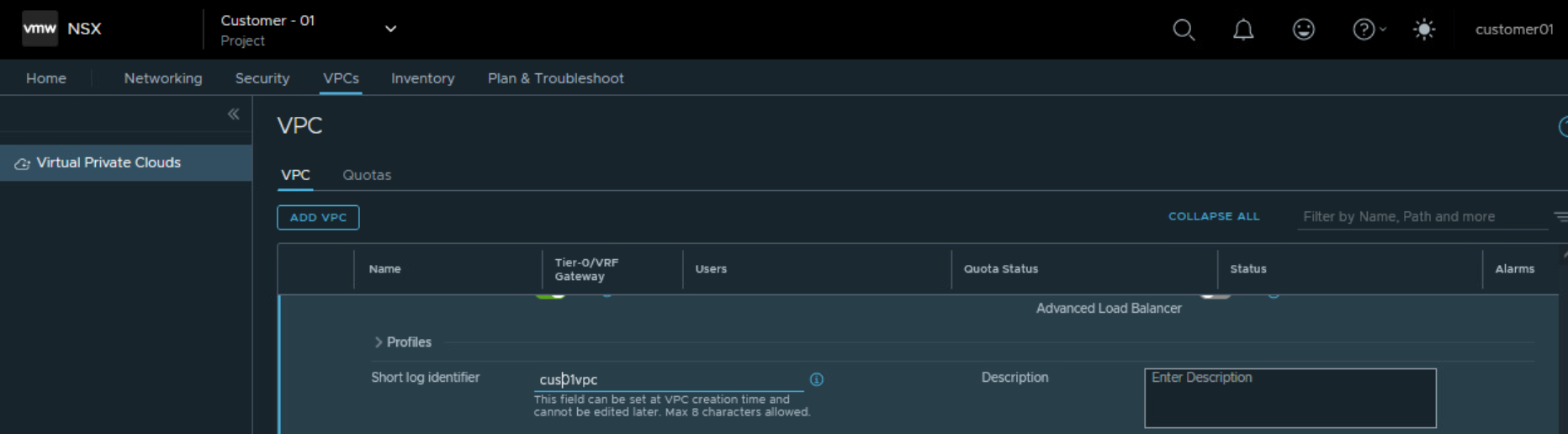
Also enter a string for short log identifier. Enter a string that the system can use to identify the logs that are generated in the context of this project. The short log identifier is applied to the security logs and audit logs.
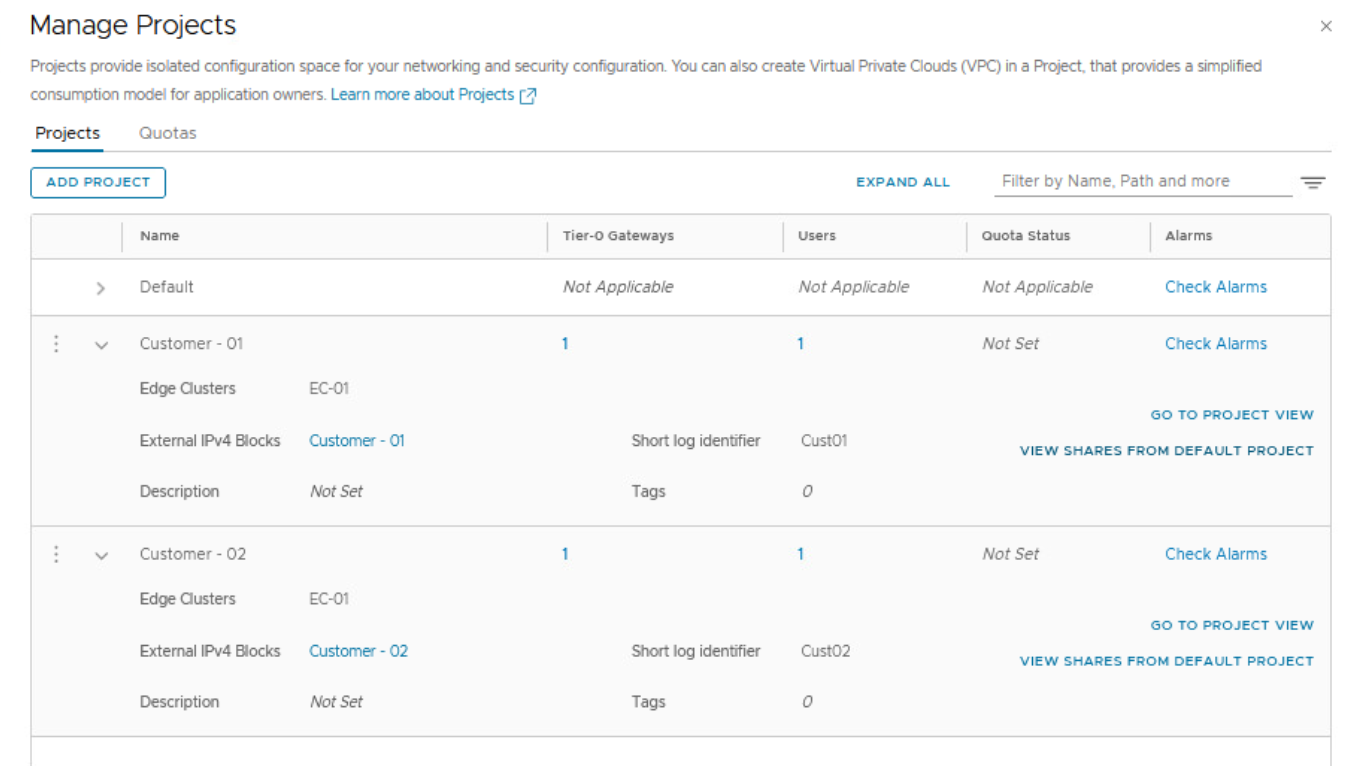
Likewise, create another NSX project for customer 02
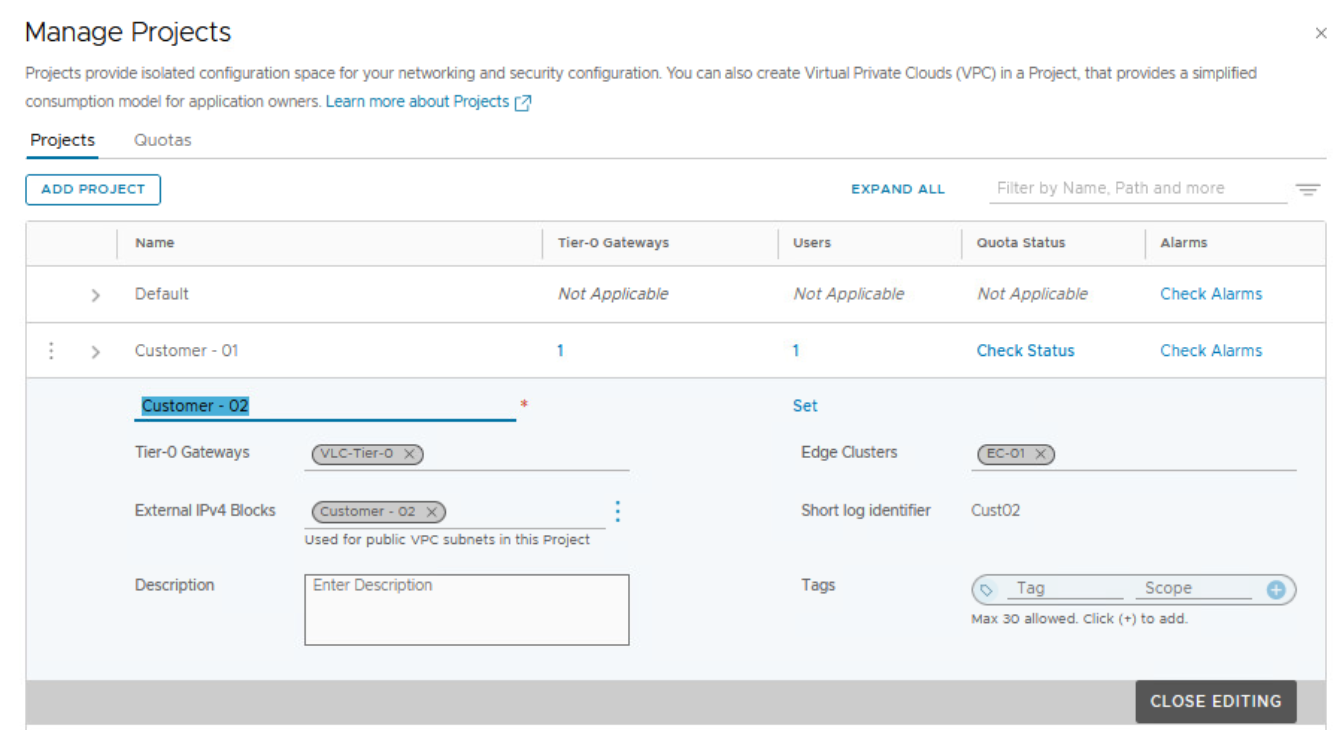
Notice we are able to use the same NSX edge cluster across two different NSX projects as shown below.
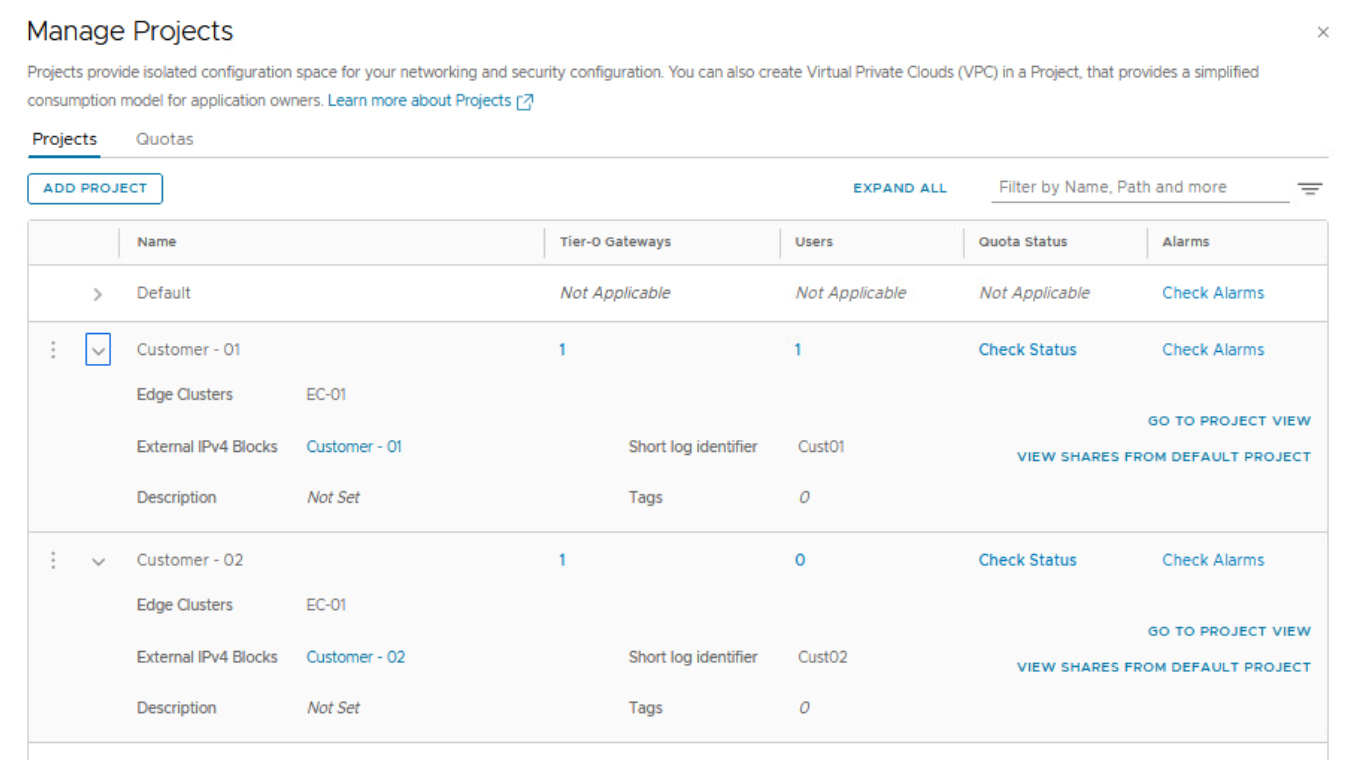
We can also create a NSX project and allocate a different NSX edge cluster to the new NSX project as shown below.

Role based access control RBAC for the NSX project:
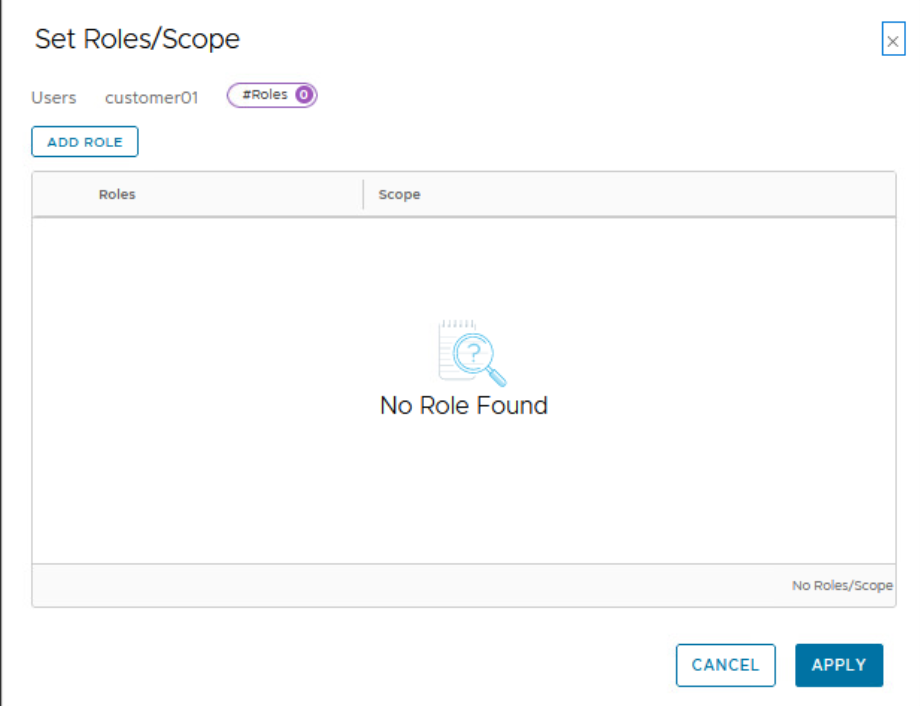
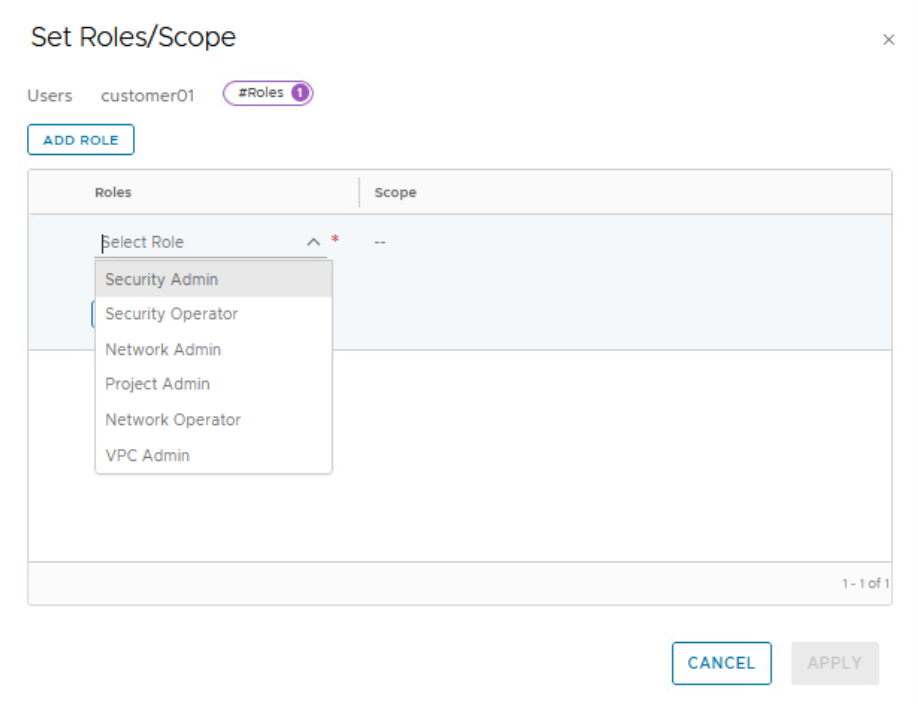
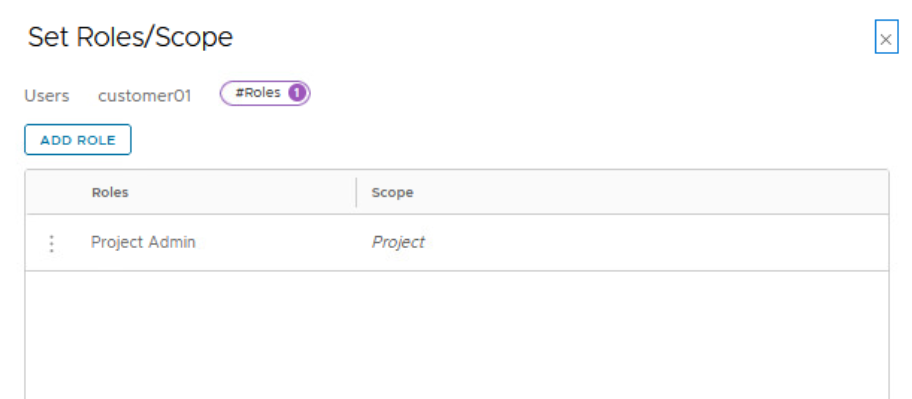
In a project, you can assign the following roles to users:
- Project Admin
- Security Admin
- Network Admin
- Security Operator
- Network Operator
A Project Admin has full access to all the networking and security objects inside a project.
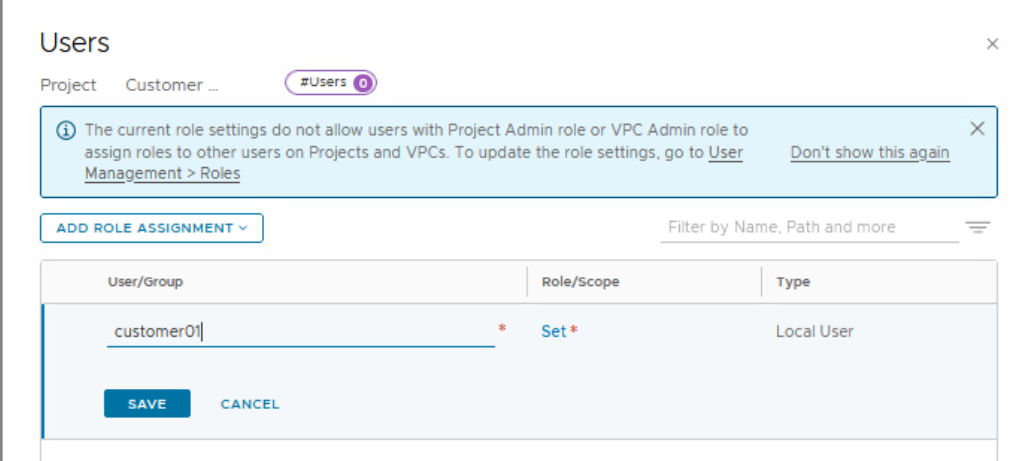
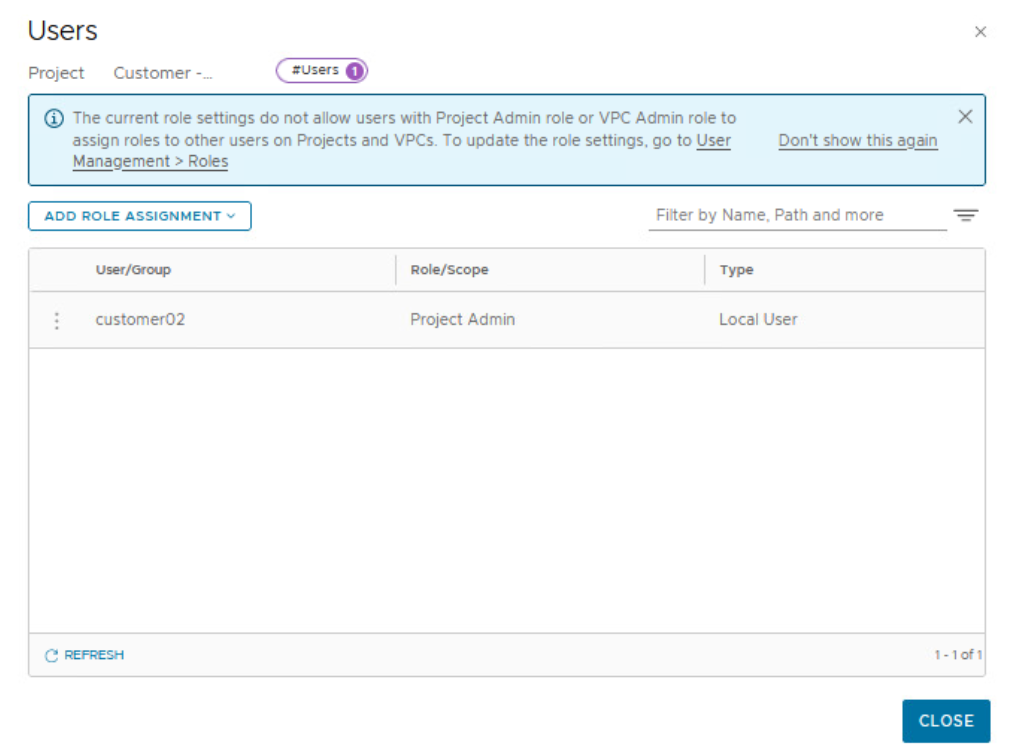
By default, only an Enterprise Admin can add user role assignments in projects. A Project Admin does not have permissions to add user role assignments in projects, unless an Enterprise Admin configures the Project Admin role to do user role assignments.
For user authentication and authorization, NSX multi-tenancy supports the following identity sources:
- Local users (for example, guestuser1, guestuser2)
- VMware Identity Manager
- Lightweight Directory Access Protocol (LDAP)
- OpenID Connect (See the note after this bulleted list)
- Principal Identity (using certificate or Jason Web Token)
In this lab, there are local users created for each NSX project/customer.
customer01 and customer02 are two local users created on NSX Manager by enterprise admin.

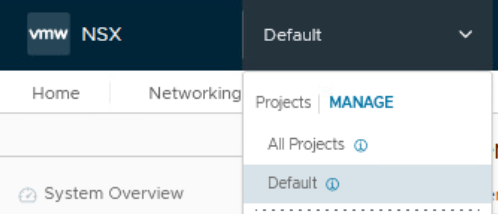
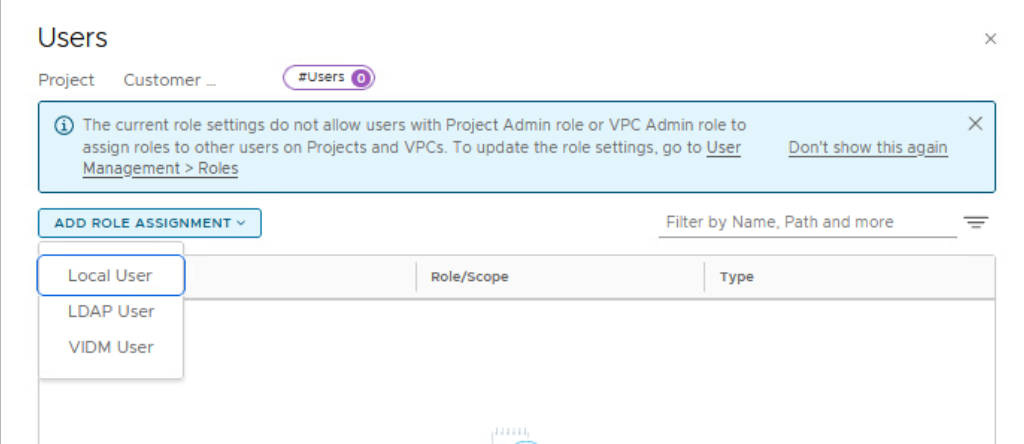
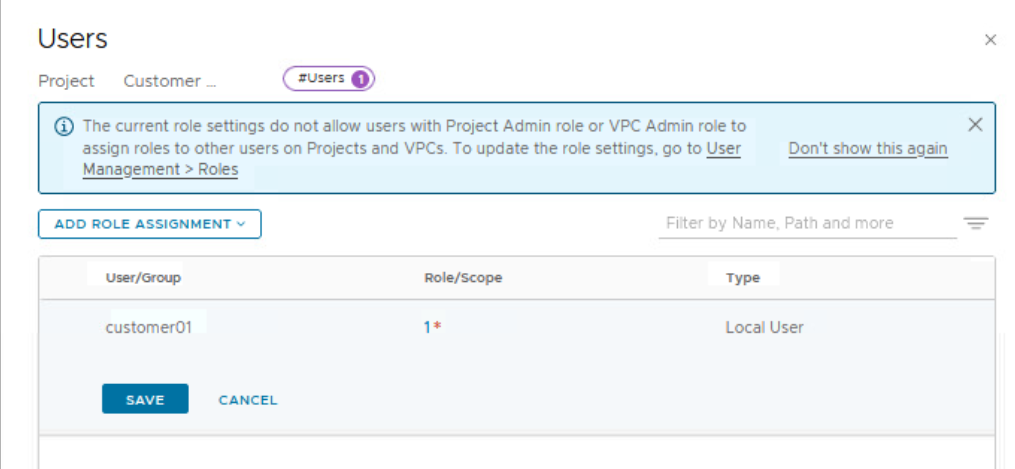
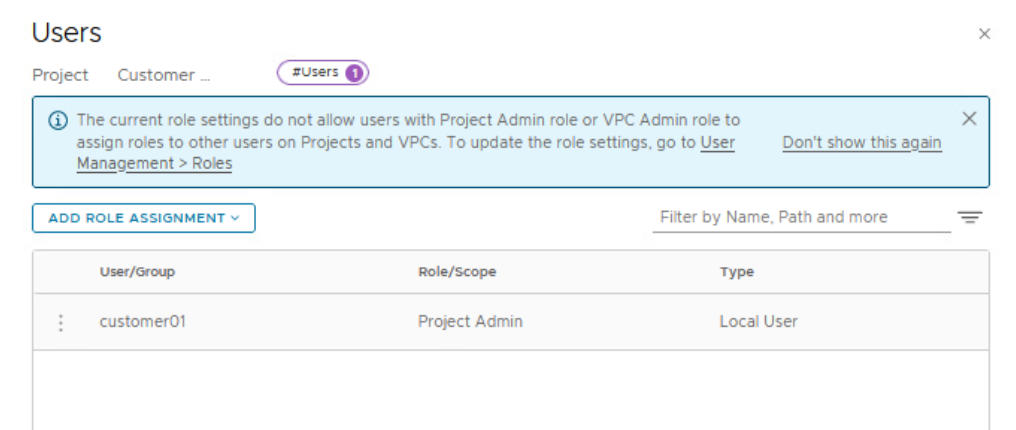

Repeat these steps for customer 02
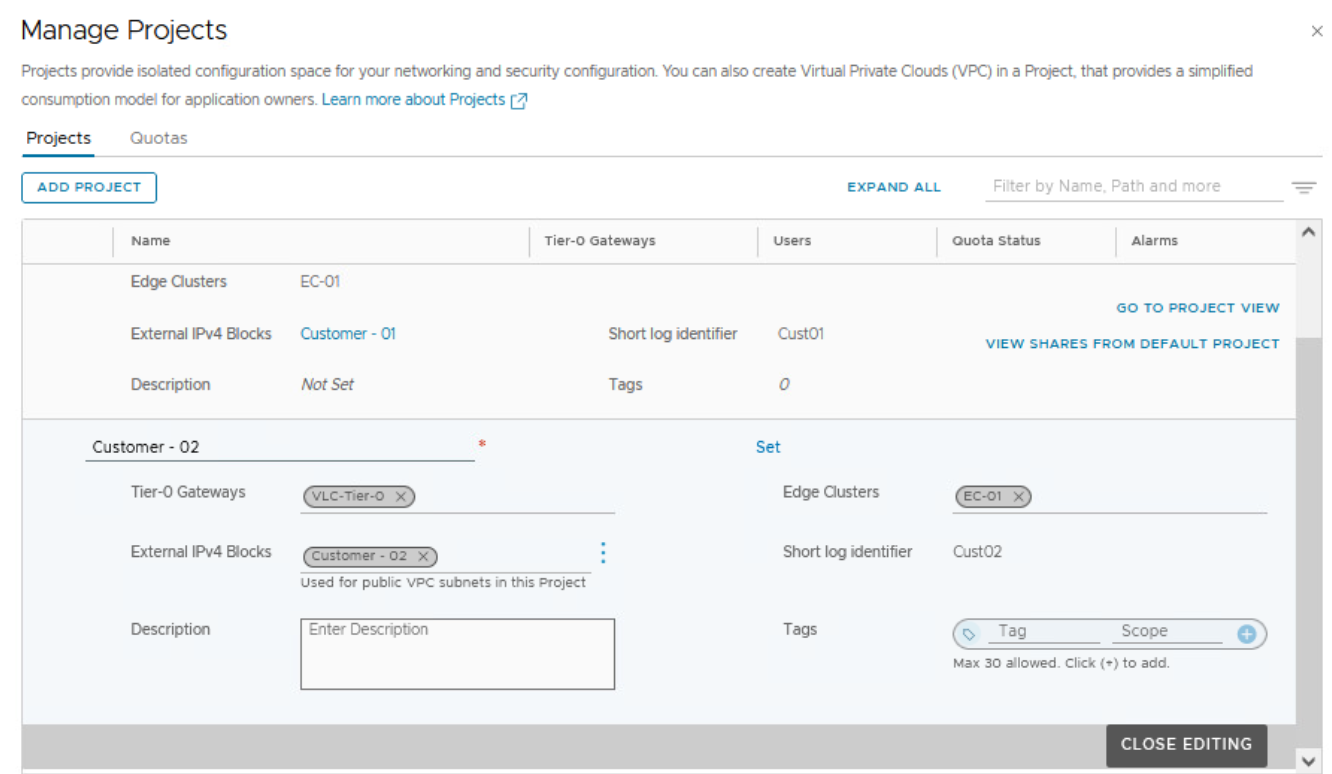

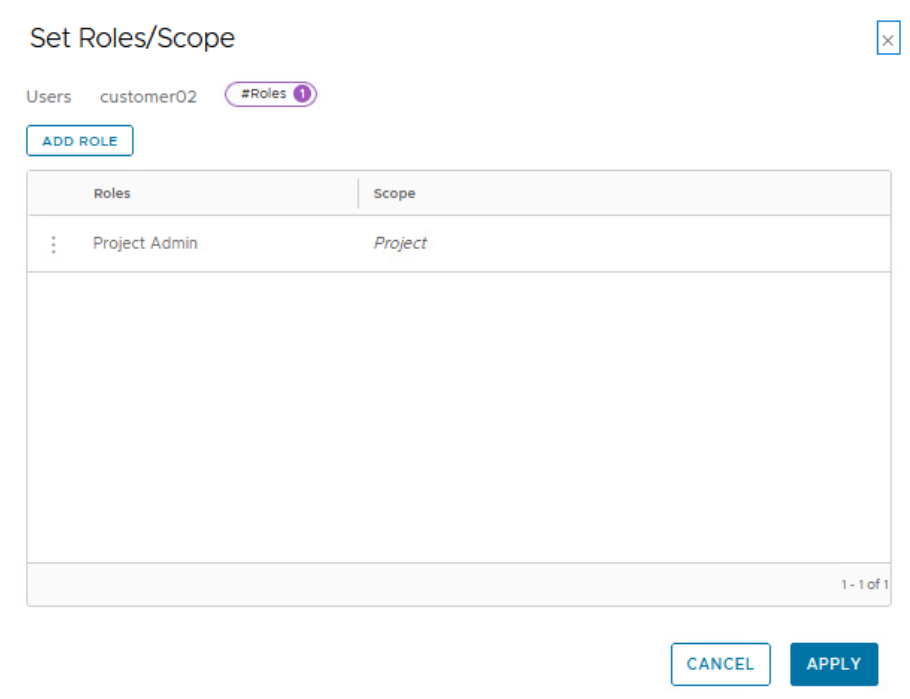
Validation:
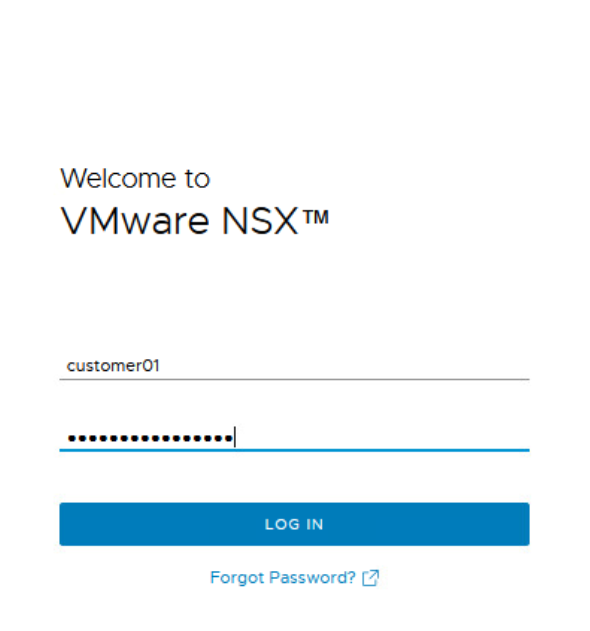
Let’s login now to the NSX Manager using the user for customer 01
Navigate to the project for Customer 01
Let’s create a Tier 1 Gateway
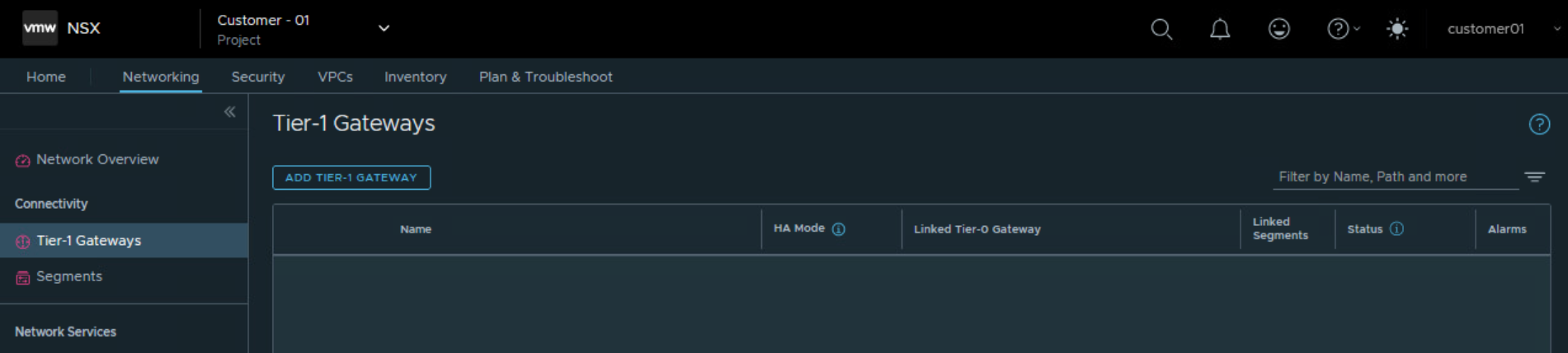
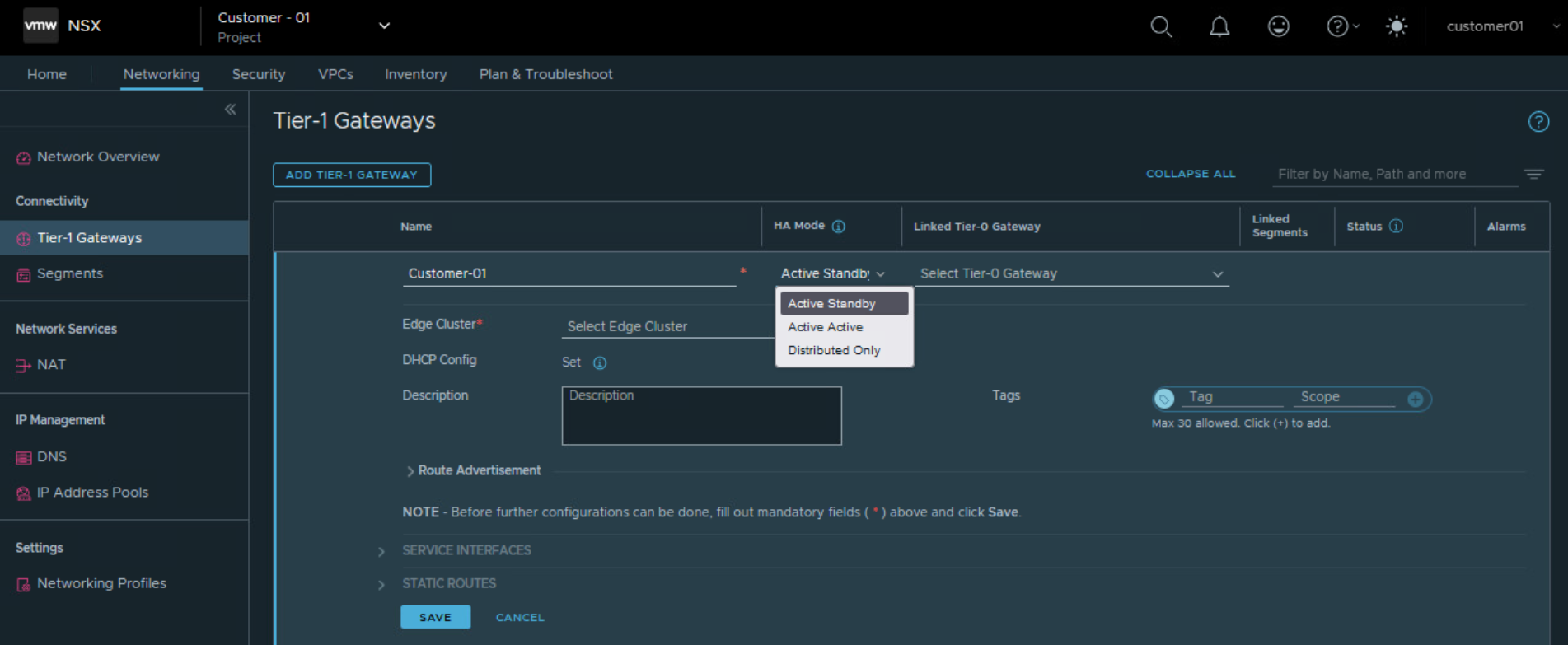
Choose Tier 0 Gateway assigned to the project for Customer 01.
Also choose NSX edge cluster allocated to NSX project for Customer 01. This will be used for centralized stateful services like NAT, Gateway Firewall, VPN, DHCP.
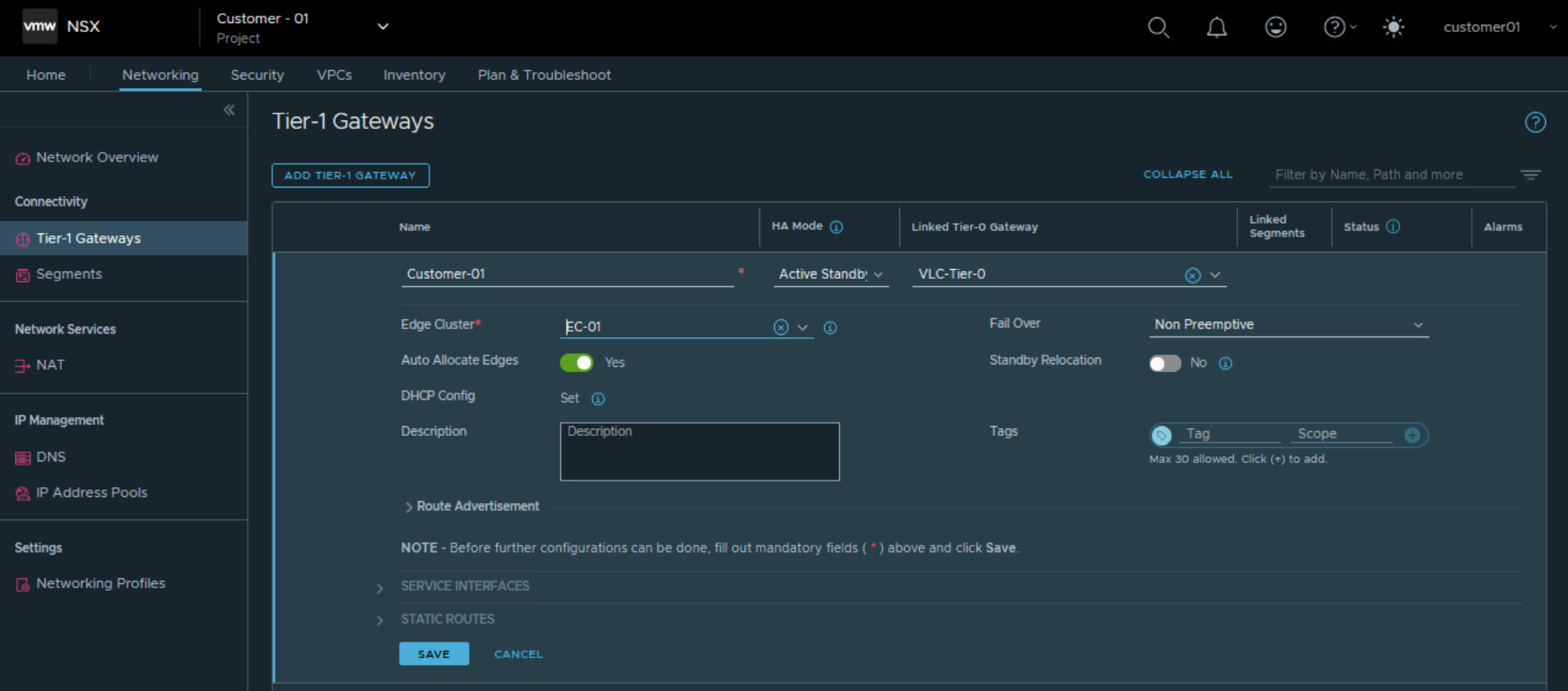
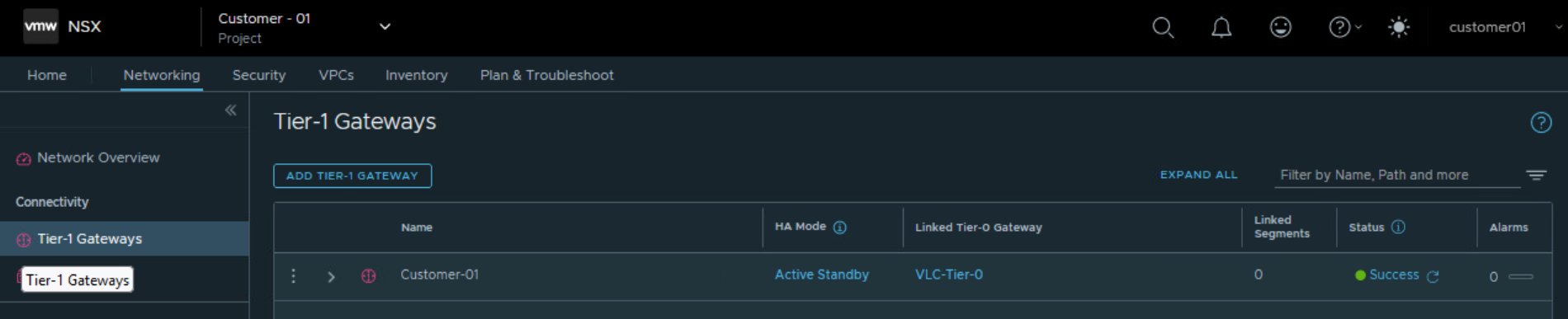
So we were able to configure Tier 1 Gateway under NSX project of Customer 01 and utilize the edge cluster and Tier 0 Gateway allocated to customer 01
What is NSX VPC?
NSX VPC topology below is documented in Broadcom technical documentation.
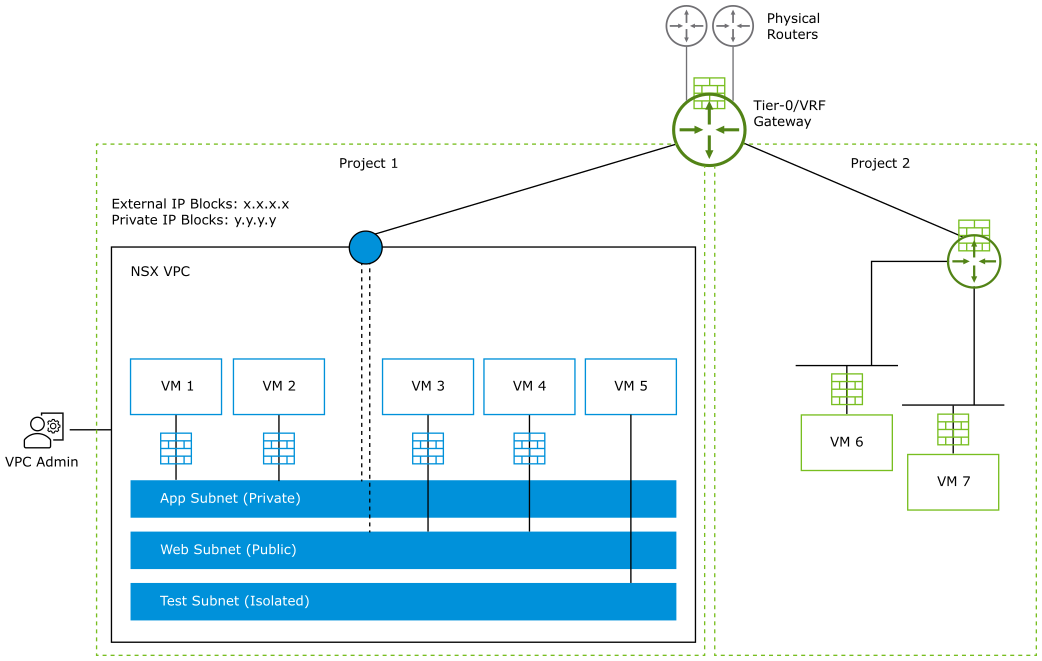
NSX VPCs represent an additional layer of multi-tenancy within a project. NSX VPCs reside inside a particular NSX project. Multiple NSX VPCs can be created in NSX project.
Users can add subnets (networks) inside the NSX VPC that is assigned to them, and configure security policies to meet their application requirements without having any dependency on the NSX Enterprise Admin.
NSX VPCs are optional under a project.
Subnets inside NSX VPC
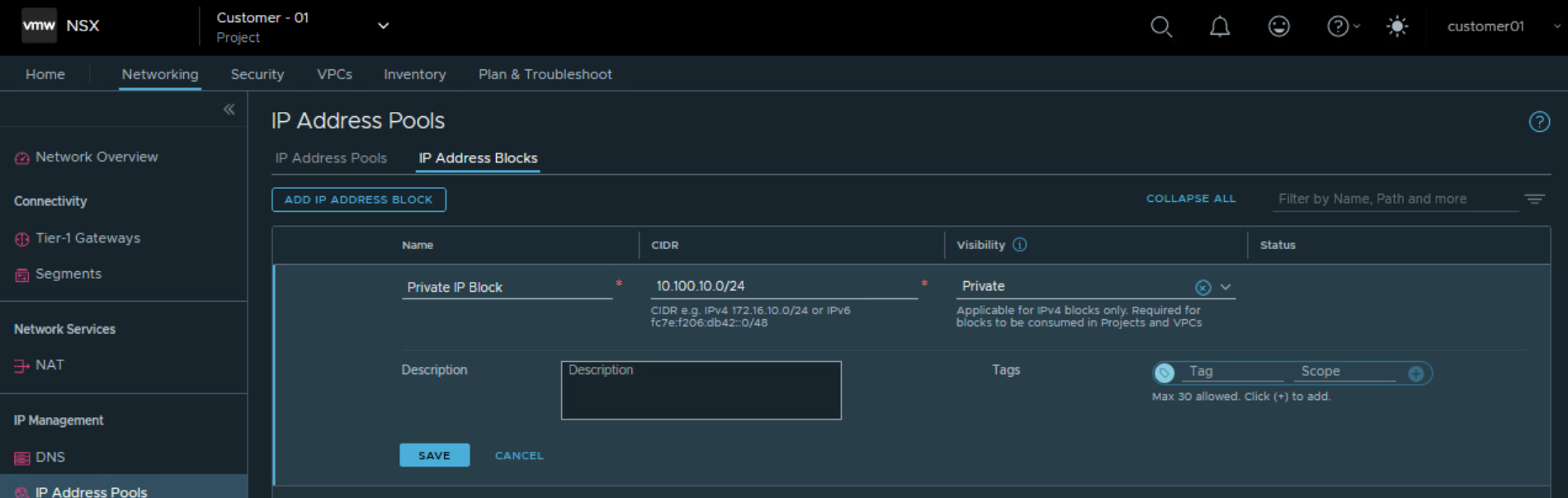
Private IPv4 blocks that are created in a project can be used for adding private subnets in the NSX VPCs within the project.
Subnets are realized as overlay segments in the default transport zone of the project.
When an NSX VPC is created, the Project Admin specifies the external IP blocks and the private IP blocks to use for creating the subnets in the VPC.
The supported subnet access modes are Private, Public, and Isolated.
Creating a VPC for customer 01
Login to NSX Manager UI as project admin and navigate to the NSX Project.
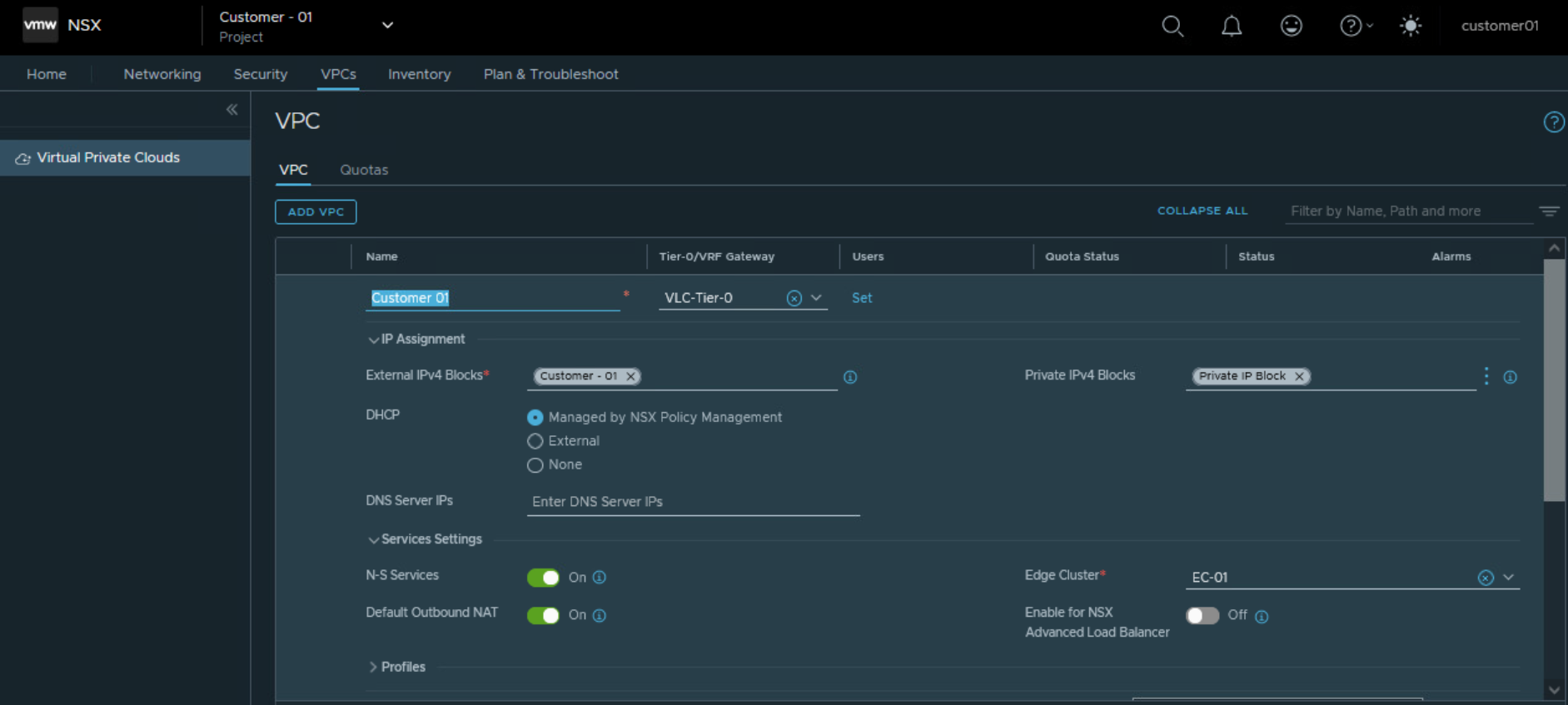
Under VPC tab, create a new NSX VPC.
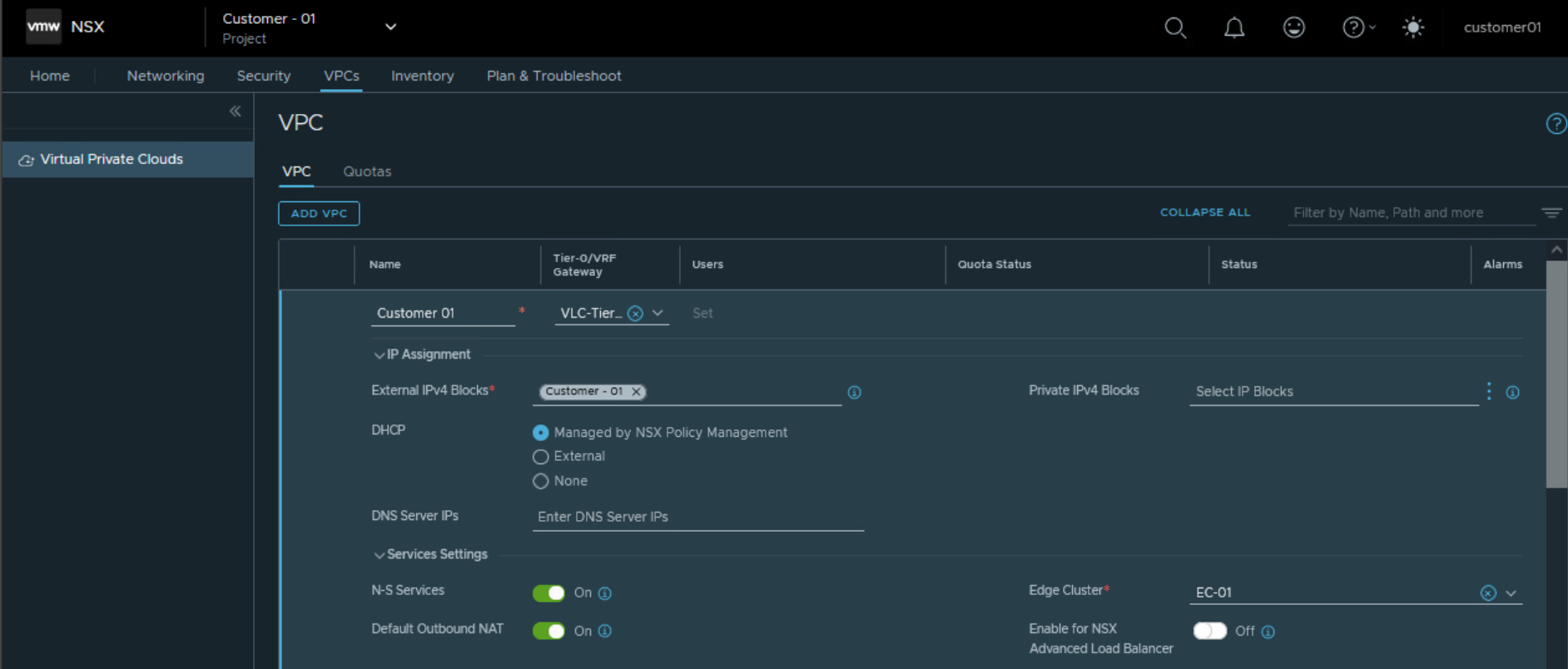
Specify Tier 0 Gateway, external IPv4 block, NSX edge cluster
Create Private IP Address block and assign it to the VPC
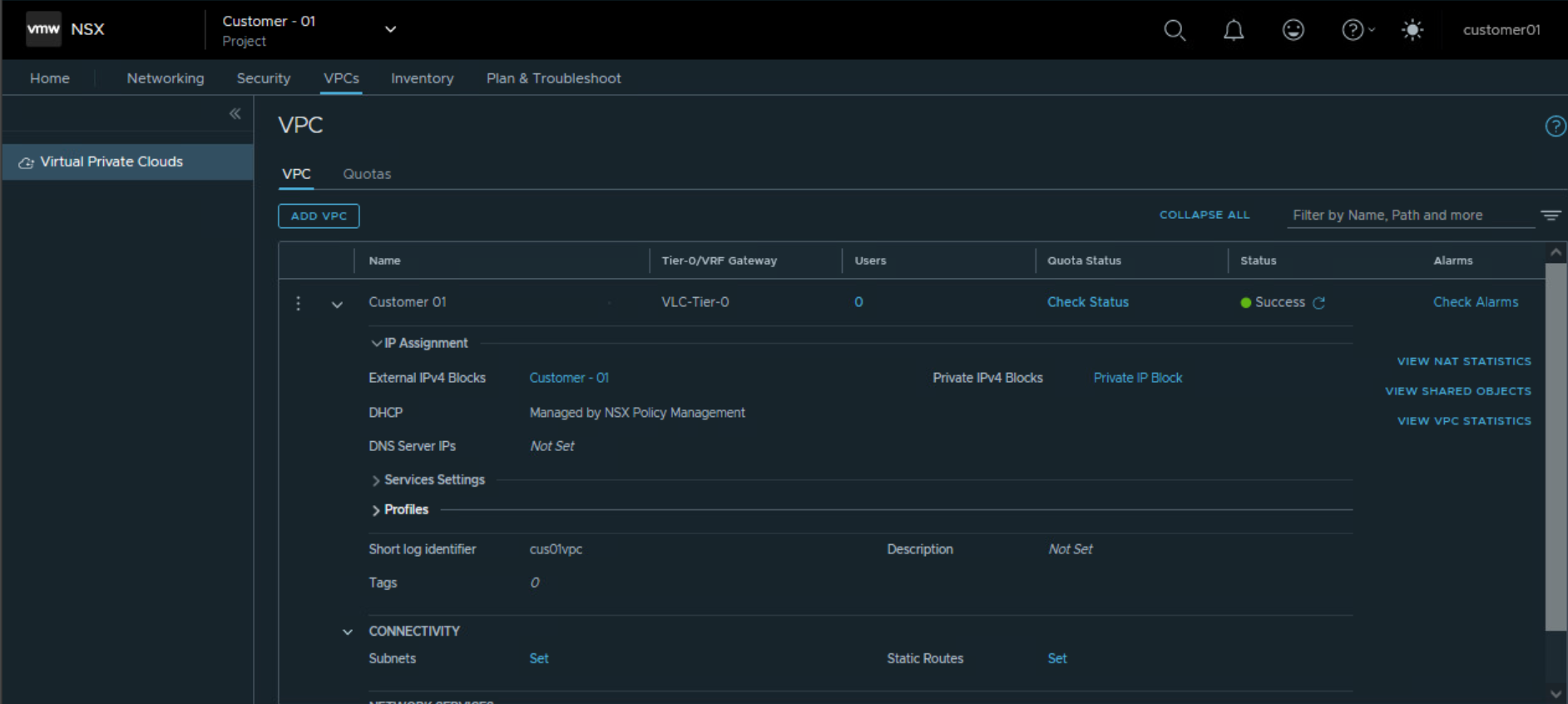
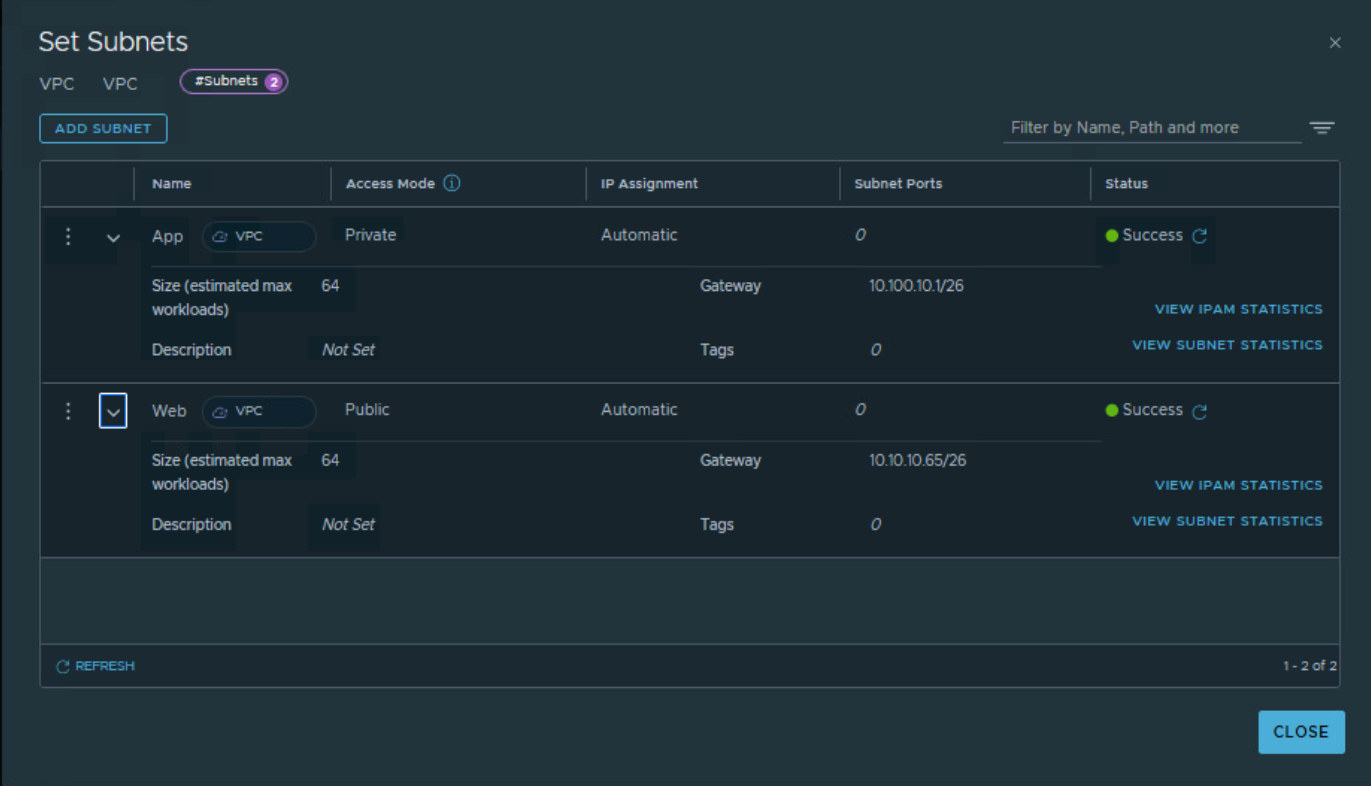
For the NSX VPC, configure subnets under ‘Connectivity’ option of NSX VPC.
Options for access mode of the subnet are private, public or isolated.
Private subnet will take IP assignment from private IP block of the NSX VPC.
Public subnet will take IP assignment from ‘External IP block’ assigned to NSX project.
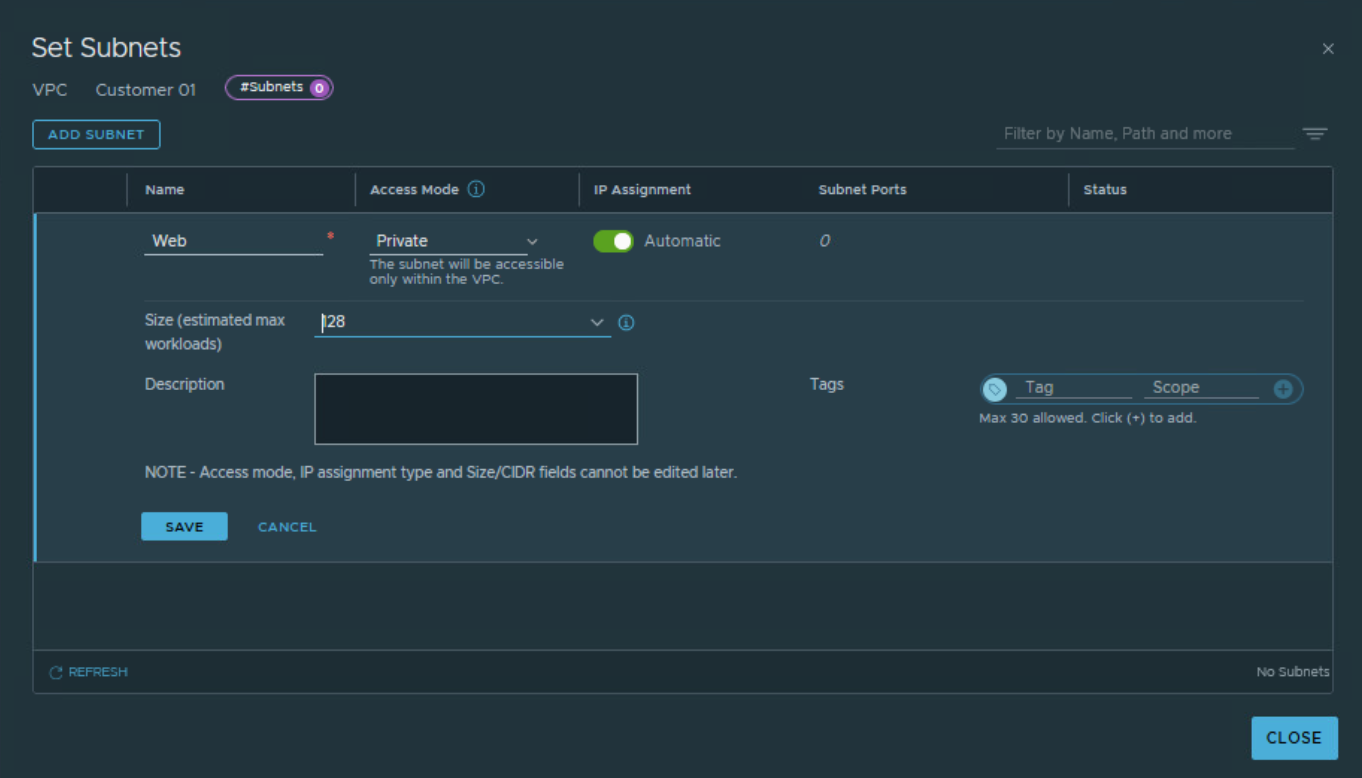
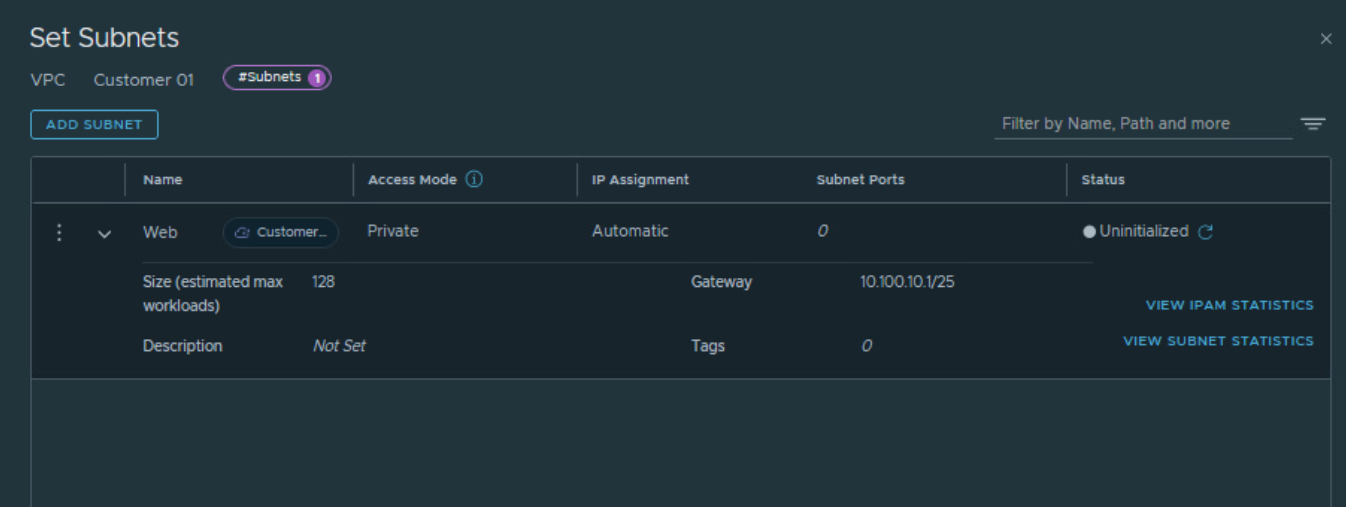
Add public subnet under this NSX VPC as shown below.
RBAC within NSX VPC
Users that are assigned the VPC Admin role or the Network Admin role in the NSX VPC can add subnets in the NSX VPC. In addition to these two roles, an NSX VPC can also have the following user roles, but with their scope confined to the NSX VPC:
- Security Admin
- Network Operator
- Security Operator
 Networking & Security